









You already know cyber threats aren’t going away. What you might not know is how to properly measure what’s actually at risk in your business without hiring a six-figure security team.
The right cybersecurity risk assessment tool does three things well. It shows you where you’re exposed, helps you prioritize what to fix first, and proves to clients (and insurers) that you’re serious about protection.
Most SMBs approach this backward. They buy tools based on features they’ll never use or pick whatever their IT guy recommends without understanding what they actually need.
This guide walks you through the tools that actually work for businesses your size. You’ll learn what separates useful risk assessment software from expensive shelfware, how to evaluate tools against your specific needs, and which platforms give you Fortune 500-level insights without the enterprise price tag.
By the end, you’ll know exactly which tool fits your situation and how to implement it without disrupting your team.
What Cybersecurity Risk Assessment Tools Actually Do
A cybersecurity risk assessment tool identifies vulnerabilities in your systems, quantifies the potential impact of threats, and helps you decide where to spend your limited security budget.
Think of it as a health check for your digital infrastructure. Except instead of measuring blood pressure, it’s scanning for unpatched software, weak access controls, and configuration mistakes that attackers exploit daily.
The problem? Most business owners confuse these tools with antivirus software or firewalls. Those are protective measures. Risk assessment tools are diagnostic instruments.
Risk assessment methodology follows a structured process. The tool automates parts of that process so you’re not manually tracking every potential threat across your entire network.
How Automated Risk Assessment Works
Automated risk assessment tools continuously scan your environment for vulnerabilities. They compare what they find against known threat databases and compliance frameworks.
Manual assessments still matter. But doing everything manually means your risk picture is always outdated by the time you finish documenting it.
The best tools combine automated scanning with manual validation. The software finds potential issues. Your team (or your MSP) confirms which ones actually matter for your specific business context.
The NIST Framework Connection
Good risk assessment tools map findings to this framework. That matters because NIST gives you a common language to discuss security with insurers, auditors, and potential clients who ask about your security posture.
Most compliance requirements (ISO 27001, SOC 2, GDPR) align with NIST principles. When your tool speaks NIST, you’re building toward multiple compliance goals simultaneously.
Why SMBs Can’t Skip Risk Assessment in 2026
Cyberattacks now represent the leading threat to business operations for SMBs in 2026. Not inflation. Not recession. Cyber attacks.
That shift happened because attackers figured out something important. SMBs often have access to valuable data but rarely have enterprise-grade defenses.
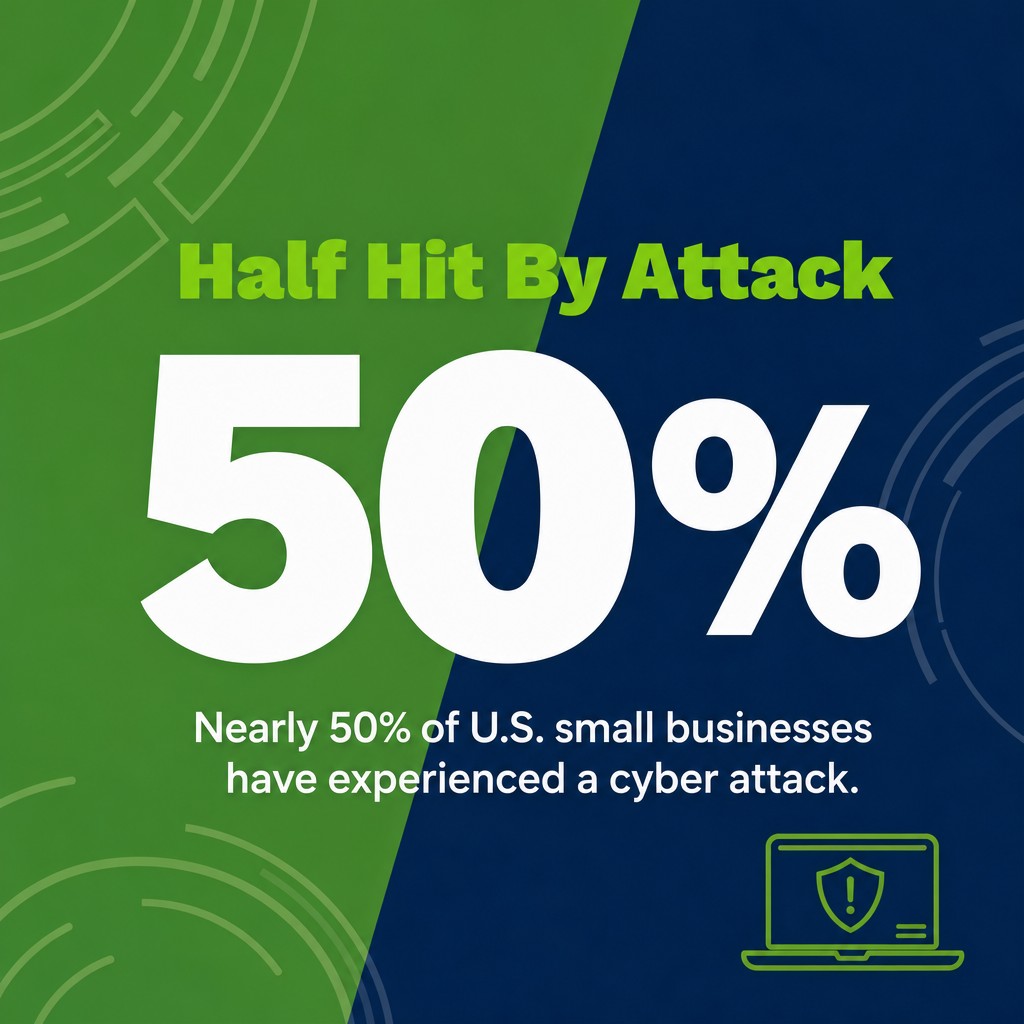
Nearly 50% of U.S. small businesses have experienced a cyber attack. If you haven’t been hit yet, you’re either lucky or you don’t know about it yet.
The Real Cost of Being Wrong
The global average cost of a data breach reached approximately $4.4 million in 2025. Even a fraction of that cost could shut down most SMBs permanently.

But here’s what keeps me up at night for clients. It’s not just the immediate financial hit. It’s the reputation damage, the client losses, and the regulatory fines that follow.
Your clients won’t care that you couldn’t afford better security. They’ll care that their data got exposed because you didn’t know where your weak points were.
What Changed Between 2024 and 2026
Risk assessment used to be something you did annually. Maybe quarterly if you were being thorough.
That model died when threats started evolving daily. New vulnerabilities get discovered constantly. Your systems change constantly. Annual assessments give you a snapshot that’s stale within weeks.
Continuous monitoring tools now give you near-real-time visibility. Affordable cybersecurity solutions in 2026 make this accessible even for smaller budgets.
Features That Actually Matter in Risk Assessment Tools
Most vendors will bury you in feature lists. Here’s what you actually need to evaluate before spending a dollar.
Automated Vulnerability Scanning
The tool should automatically discover assets on your network and scan them for known vulnerabilities. This includes servers, workstations, cloud services, and connected devices.
Rapid7 InsightVM offers continuous vulnerability management with a recurring vulnerability management lifecycle. That’s the model you want, continuous scanning, not point-in-time checks.
Look for tools that update their vulnerability databases daily. New CVEs (Common Vulnerabilities and Exposures) get published constantly. Your scanner needs to know about them fast.
Risk Quantification and Prioritization
Finding vulnerabilities is easy. Figuring out which ones to fix first is hard.
Wiz specializes in evaluating and ranking discovered security vulnerabilities based on actual risk posed to specific environments. Not every critical-rated vulnerability actually threatens your business equally.
Good tools assign risk scores based on multiple factors. Severity matters, but so does whether the vulnerable system is internet-facing, contains sensitive data, or has compensating controls around it.
You need financial impact modeling too. Understanding that a particular risk could cost you $50,000 versus $500,000 changes how you prioritize remediation work.
Compliance Framework Mapping
Your assessment findings should map automatically to whatever compliance frameworks you need. ISO 27001, SOC 2, HIPAA, GDPR, or industry-specific requirements.
ISO/IEC 27001 provides comprehensive guidance on information security management systems. Tools that align with this standard make your compliance work significantly easier.
When audit time comes, you should be able to generate reports showing how you’ve addressed each control requirement. Without manual spreadsheet wrangling.
Third-Party and Vendor Risk Assessment
Your security is only as strong as your weakest vendor connection. Supply chain attacks increased dramatically because attackers figured this out.
Tools with third-party risk modules let you assess vendor security before you integrate with them. Then continuously monitor their security posture while you’re working together.
SecurityScorecard ratings help over 3,000 organizations strengthen supply chains with 95% accuracy and data-driven insights. External security ratings give you visibility into vendor risk without needing access to their internal systems.

Integration Capabilities
Your risk assessment tool needs to work with your existing security stack. SIEM platforms, identity and access management systems, ticketing tools, and endpoint protection.
Siloed tools create blind spots. Integration means findings from your vulnerability scanner can automatically create tickets in your ITSM platform or trigger alerts in your SIEM.
API access matters too. You’ll want to pull data into dashboards or feed it into other security workflows.
Reporting and Executive Dashboards
Technical reports help your IT team. Executive dashboards help you make business decisions and communicate risk to stakeholders who don’t speak security.
Look for tools that translate technical findings into business impact language. Board members don’t care about CVE numbers. They care about potential financial losses and compliance violations.
The 7 Best Cybersecurity Risk Assessment Tools for SMBs
These tools balance capability with cost and complexity. They’re proven in SMB environments and don’t require a dedicated security team to operate.
1. MetricStream Cyber Risk Manager
MetricStream built their platform specifically for integrated risk management across cyber, IT, operational, and third-party domains.
MetricStream offers AI-powered insights for integrating cyber, IT, operational, and third-party risk into a single system. That matters when you need one view of all your risks instead of managing multiple disconnected tools.
The platform maps findings to NIST CSF, ISO 27001, and other frameworks automatically. Risk quantification features help you translate technical vulnerabilities into financial impact estimates.
Best for: SMBs managing multiple compliance requirements simultaneously or those with complex third-party ecosystems.
Key limitation: More expensive than simpler vulnerability scanners. Only makes sense if you need the integrated GRC capabilities.
2. Rapid7 InsightVM
Rapid7 InsightVM focuses on continuous vulnerability management with live monitoring instead of periodic scans.

The platform discovers assets automatically as they connect to your network. Vulnerability data updates constantly so you see new threats as they emerge.
Risk prioritization uses live exploit data. If a vulnerability is being actively exploited in the wild, InsightVM bumps it up the priority list automatically.
Best for: Organizations that need strong vulnerability management as the foundation of their risk assessment program.
Key limitation: Less robust on the compliance reporting side compared to full GRC platforms.
3. Wiz Cloud Security Platform
Wiz specializes in cloud security posture management and cloud workload protection.

If you’re running infrastructure in AWS, Azure, or GCP, Wiz gives you deep visibility into misconfigurations, excessive permissions, and vulnerable workloads that traditional scanners miss.
The platform’s vulnerability prioritization considers actual exposure and exploitability in your specific cloud environment. Not just generic severity scores.
Best for: Cloud-first businesses or organizations migrating significant infrastructure to cloud platforms.
Key limitation: Less useful if most of your infrastructure is on-premises.
4. SecurityScorecard
SecurityScorecard provides external security ratings for your organization and your vendors.

The platform continuously monitors publicly visible security signals like SSL certificate issues, patching cadence, and DNS health. Then assigns letter grades similar to credit scores.
Vendor risk monitoring happens automatically. You get alerts when a vendor’s security rating drops, which could indicate they’re having security problems.
Best for: Organizations focused on third-party risk management or businesses that need to demonstrate security posture to clients and partners.
Key limitation: External-only assessment. Doesn’t see inside your network, so you’ll need other tools for internal vulnerability management.
5. Tenable.io
Tenable.io combines vulnerability management with web application scanning and container security.

The platform uses predictive prioritization to identify which vulnerabilities are most likely to be exploited. Artificial intelligence operates across three functional stages in unified detection, remediation, and governance workflows: Predictive AI, Generative AI, and Agentic AI.
Cloud-native deployment means you don’t need to manage infrastructure. Scales easily as your environment grows.
Best for: SMBs with diverse infrastructure including traditional servers, cloud workloads, and custom applications.
Key limitation: Can be overwhelming for very small teams. Has depth that requires some security expertise to use effectively.
6. Qualys VMDR
Qualys VMDR (Vulnerability Management, Detection and Response) combines asset discovery, vulnerability assessment, and threat detection.

The platform’s TruRisk scoring helps you understand which vulnerabilities actually matter based on weaponization, asset criticality, and compensating controls.
Built-in patch management integration means you can remediate findings without switching between tools.
Best for: Organizations wanting vulnerability management tightly integrated with patch management workflows.
Key limitation: Interface feels dated compared to newer platforms. Learning curve for new users.
7. CISA Cyber Security Evaluation Tool (CSET)
CSET is a free tool from the Cybersecurity and Infrastructure Security Agency designed for critical infrastructure and industrial control systems.
The tool walks you through assessment questionnaires based on your industry and applicable standards. Generates reports showing gaps between current state and security best practices.
Particularly strong for organizations in critical infrastructure sectors (energy, water, manufacturing) or those with operational technology environments.
Best for: Organizations with industrial control systems or those wanting a free starting point before investing in commercial tools.
Key limitation: Manual assessment process. No automated scanning. Requires significant time investment to complete assessments thoroughly.
How to Choose the Right Tool for Your Business
Start by defining what you’re actually trying to accomplish. Not what the vendor says you need.
Match Tool to Your Primary Risk Sources
Cloud-heavy infrastructure needs cloud-native tools like Wiz. On-premises data centers need traditional vulnerability scanners like Rapid7 or Qualys.
Heavy reliance on third-party vendors? Prioritize tools with strong vendor risk capabilities like SecurityScorecard.
Multiple compliance frameworks? You need GRC-focused platforms like MetricStream that handle compliance mapping natively.
Consider Your Team’s Security Maturity
Be honest about your team’s security expertise. Some tools require dedicated security staff to operate effectively.
58% of SMBs view improved security as a key benefit of working with a Managed Service Provider. If you’re working with an MSP, choose tools they already know and support.

If you’re managing security internally with limited expertise, prioritize tools with intuitive interfaces and strong vendor support.
Evaluate Total Cost of Ownership
License costs are just the start. Factor in implementation time, training requirements, and ongoing administration.
Some tools require agent deployment on every endpoint. That’s an ongoing maintenance burden. Others use agentless scanning, which simplifies deployment but may have visibility limitations.
Cloud-hosted tools eliminate infrastructure costs but create subscription dependencies. On-premises tools give you more control but require servers and staff to maintain them.
Test Before You Commit
Most vendors offer trials or proof-of-concept engagements. Use them.
Run the tool against a representative sample of your infrastructure. Does it find real issues or just noise? Can your team understand and act on the findings?
Test the reporting capabilities with actual stakeholders. Can your CFO understand the executive dashboard? Can your IT team work with the technical reports?
Implementation Best Practices That Prevent Common Failures
Most risk assessment tool failures happen during implementation. Not because the tool was wrong, but because the rollout was poorly planned.
Start Small and Expand Deliberately
Don’t try to assess your entire environment on day one. Pick a critical segment. Your production environment. Your cloud infrastructure. Whatever keeps you up at night.
Get that working properly first. Learn the tool. Tune the policies. Establish remediation workflows.
Then expand scope systematically. Add new assets, enable additional scan types, integrate with more security tools.
Define Clear Ownership and Accountability
Someone needs to own the risk assessment program. Not just run the tool, but ensure findings actually get remediated.
Establish a regular cadence for reviewing findings. Weekly tactical reviews with IT. Monthly strategic reviews with leadership.
Create remediation SLAs based on risk severity. Critical findings get 7 days. High findings get 30 days. Document exceptions when you can’t meet those timelines.
Integrate With Existing Workflows
Your risk assessment tool shouldn’t be another silo. Connect it to how your team already works.
If you use Jira for project management, configure the tool to create Jira tickets for findings. If you have a ServiceNow instance, integrate there instead.
Make remediation part of existing change management processes. Security fixes should flow through the same approval and deployment mechanisms as other infrastructure changes.
Tune Policies to Reduce False Positives
Out-of-the-box policies generate noise. Lots of it. Your team will stop paying attention if every scan produces hundreds of findings that don’t actually matter.
Spend time tuning scan policies for your specific environment. Exclude findings that don’t apply. Adjust severity ratings based on compensating controls.
Create custom rules for your unique infrastructure and applications. The goal is accurate risk identification, not maximum finding counts.
Common Challenges and How to Address Them
Even with the right tool and solid implementation, you’ll hit obstacles. Here’s how to handle the most common ones.
Alert Fatigue and Finding Overload
The problem: Your first comprehensive scan finds 500 vulnerabilities. Your team sees that number and freezes.
The solution: Focus on exploitability and business impact, not just technical severity. Fix the 10 things that could actually hurt you this month. Schedule the rest.
Use risk quantification features to translate technical findings into business language. “This vulnerability could lead to $200,000 in breach costs” gets attention. “CVE-2024-12345 is rated 9.8” doesn’t.
Resistance From IT Teams
The problem: Your IT staff see the risk assessment tool as more work or implied criticism of their current security practices.
The solution: Position the tool as making their jobs easier, not creating more work. Automated scanning means they’re not manually checking systems.
Involve IT in tool selection and implementation. When they help choose and configure the tool, they have ownership instead of resentment.
Share wins publicly. When the tool finds something important before it becomes a problem, make sure leadership knows IT prevented an incident.
Budget Constraints and ROI Justification
The problem: Leadership questions whether the tool is worth the investment. “We’ve never been breached, why do we need this?”
The solution: Frame it as insurance and compliance enablement. Show the cost of potential breaches. Demonstrate how the tool helps with compliance requirements you already have.
Start with free or low-cost options like CSET if budget is severely constrained. Build the business case with actual findings before requesting budget for more capable platforms.
Calculate time savings. If manual assessment processes take 40 hours per quarter, automation pays for itself quickly in labor costs alone.
Keeping Up With Rapid Infrastructure Changes
The problem: Your infrastructure changes faster than your assessment schedules. Cloud resources spin up and down constantly.
The solution: Continuous assessment models instead of point-in-time scans. Tools that integrate with your cloud orchestration platforms and automatically assess new resources as they deploy.
Implement security as code practices. Infrastructure templates should include security scanning before deployment, not just after.
Frequently Asked Questions
How often should SMBs conduct cybersecurity risk assessments?
Continuously if possible, quarterly at minimum. Annual assessments don’t cut it anymore when threats evolve daily and infrastructure changes constantly.
Use automated tools for continuous monitoring. Supplement with comprehensive manual reviews quarterly to catch things automated scans miss and validate findings.
Can we use free tools or do we need commercial platforms?
Free tools like CSET work for initial assessments and specific use cases. But they require significant manual effort and don’t provide continuous monitoring.
Commercial platforms make sense when you need automation, integration, or compliance reporting capabilities. Start free if budget demands it, but plan to upgrade as security needs mature.
What’s the difference between vulnerability scanning and risk assessment?
Vulnerability scanning identifies technical weaknesses in systems. Risk assessment evaluates the business impact if those vulnerabilities get exploited.
Good risk assessment tools include vulnerability scanning but add context. They consider asset criticality, threat likelihood, and potential business consequences.
Do we need different tools for IT risk and cybersecurity risk?
They’re increasingly converging. Most IT risks have cybersecurity implications and vice versa.
Integrated platforms like MetricStream handle both in one system. Specialized tools like Rapid7 focus specifically on cybersecurity but still consider IT operational risks.
Understanding why risk assessments matter helps you decide whether you need specialized or integrated tools.
How do we handle third-party and vendor risk?
Assess vendors before integration using questionnaires or security ratings platforms. Monitor continuously while the relationship exists. Reassess when contracts renew or services change significantly.
Tools like SecurityScorecard automate external monitoring. Questionnaire platforms help with initial due diligence. Build vendor security requirements into your procurement process.
What if our team lacks security expertise to interpret findings?
Partner with an MSP that has security expertise. Many offer managed detection and response services that include risk assessment tool management.
Choose tools with strong vendor support and training programs. Invest in baseline security training for your IT team so they understand fundamental concepts.
Start with tools that prioritize findings and provide remediation guidance. You need less expertise when the tool tells you exactly what to fix and why it matters.

Your Next Steps
You now know what separates useful risk assessment tools from expensive distractions. You understand the features that actually matter for SMBs and which tools deliver them effectively.
Start by documenting your current risk assessment process. Even if it’s informal or inconsistent, write down what you’re doing now. That becomes your baseline for improvement.
Then map your primary risk sources. Cloud infrastructure? Third-party vendors? Compliance requirements? That tells you which tool category to prioritize.
If you’re just starting, grab a risk assessment template and run through one manual assessment. That hands-on experience will make tool selection much clearer.
For organizations ready to implement a tool, request trials from 2-3 platforms that match your primary needs. Test them against real infrastructure. Involve the people who’ll actually use the tool in evaluation.
Most importantly, start now. Every day without proper risk assessment is another day you’re guessing about what could hurt you. The best tool is the one you actually implement this quarter, not the perfect one you’re still researching next year.

