Most businesses know they need a cybersecurity risk assessment. But they don’t do it.
Why? Too expensive. Too complicated. Too time-consuming.
I’ve spent over 20 years watching companies skip this step. They think they’re too small to be targeted. Or they trust their IT guy to “handle security.” Then a ransomware attack locks their files. Or a phishing email compromises their client list.
The painful truth: You don’t need a consultant to assess your risks. You need a clear process and the right template. That’s what I’m giving you here.
This guide shows you exactly how to conduct a proper cybersecurity risk assessment using a free, customizable template. You’ll identify your digital assets, spot vulnerabilities, and build a plan to close gaps. No certification required. No security jargon. Just practical steps that protect your business.
By the end, you’ll know where you’re exposed and what to fix first. More importantly, you’ll have documentation that shows clients, regulators, and insurers that you take security seriously.
What Is a Cybersecurity Risk Assessment?
A cybersecurity risk assessment is a structured process that identifies security risks in your systems, data, and networks.
You’re systematically answering three questions: What do I have? What could go wrong? What do I do about it?
The goal isn’t perfection. It’s understanding where you’re vulnerable so you can prioritize fixes. Think of it as a health checkup for your digital infrastructure.
A proper cybersecurity risk assessment includes several core components. You inventory your digital assets, like servers, databases, and applications. You identify threats that could exploit weaknesses. You assess vulnerabilities in your current security measures. You evaluate the potential impact of different risks. And you create a plan to reduce or eliminate those risks.
This structured approach isn’t just good practice. It’s increasingly required by regulations and cyber insurance providers. If you handle customer data, you need to prove you’re protecting it properly.
Why Risk Assessments Matter More Than You Think
Let me be direct. Most security breaches happen because businesses didn’t know they had a problem.
A cybersecurity risk assessment shows you where attackers can get in before they actually do. It forces you to look at your entire security posture, not just the obvious stuff like antivirus software.
The business case is simple. Data breaches cost money. Lots of it. Customer trust disappears fast when you lose their information. Regulators impose fines for poor security practices. Operations stop when ransomware locks your systems.
A risk assessment helps you avoid these disasters. You identify weak spots early. You fix critical issues before they become expensive problems. You build a security foundation that scales with your business.
There’s another benefit people miss. Documentation matters. When a client asks about your security measures, you have real answers. When you apply for cyber insurance, you show underwriters you’re not a blind risk. When auditors come calling, you demonstrate compliance.
Skip the assessment and you’re flying blind. Conduct one properly and you gain control.
Common Cybersecurity Risks and Threats
Before you can assess risk, you need to know what you’re up against.
Cyber threats come in many forms. Understanding the most common ones helps you spot them in your own environment.
Malware and Ransomware Attacks
Malware is malicious software designed to damage or gain unauthorized access to your systems. It includes viruses, trojans, spyware, and the particularly nasty ransomware.
Ransomware encrypts your files and demands payment for the decryption key. It spreads through phishing emails, infected downloads, and unpatched vulnerabilities. Once it’s in, it can lock down your entire network in minutes.
Most businesses have malware protection. But many run outdated definitions or miss endpoint devices like mobile phones and tablets.
Phishing and Social Engineering
Phishing tricks people into revealing sensitive information. An email looks like it’s from your bank, your CEO, or a trusted vendor. It asks you to click a link, download an attachment, or verify your credentials.
Social engineering attacks exploit human psychology rather than technical vulnerabilities. Attackers research targets, craft convincing messages, and manipulate people into breaking security protocols.
Your employees are both your strongest defense and your weakest link. Training them to spot suspicious requests is critical.
Insider Threats and Access Control Failures
Not all threats come from outside. Disgruntled employees, careless contractors, and compromised user accounts create significant security risks.
Insider threats are hard to detect. These users already have legitimate access. They know where valuable data lives. They understand security measures and how to bypass them.
Access control failures compound the problem. When everyone has admin rights, when former employees still have active accounts, when shared passwords float around, you’re vulnerable.
Unpatched Vulnerabilities and Outdated Systems
Software vendors constantly release security patches. These fix known vulnerabilities that attackers actively exploit.
When you don’t apply patches promptly, you leave doors open. Attackers scan for unpatched systems because they’re easy targets. Automated tools can find and exploit these weaknesses at scale.
Legacy systems pose extra risk. Older software may no longer receive security updates. But businesses keep running it because upgrading is expensive or disruptive.
Third-Party and Supply Chain Risks
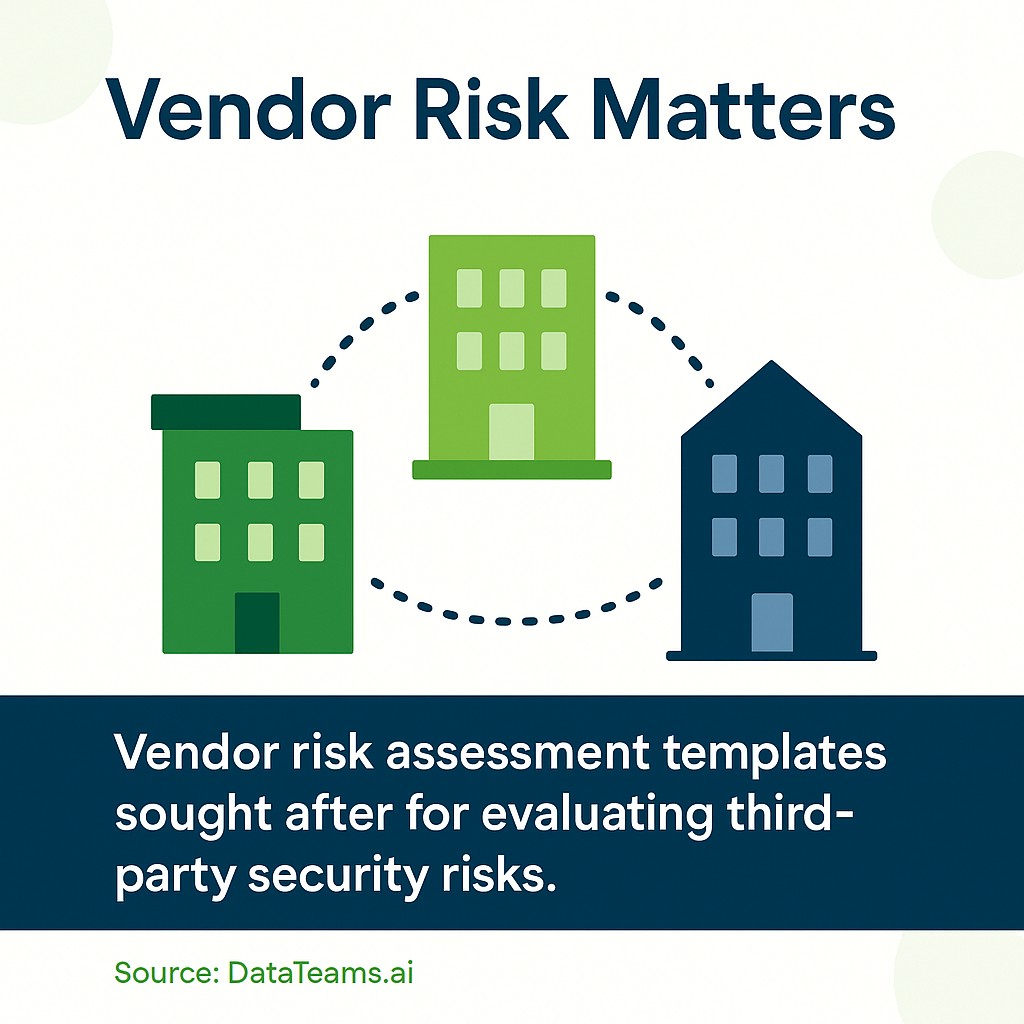
Your security is only as strong as your vendors’ security. Cloud providers, payment processors, marketing platforms, and IT support companies all touch your data.
Supply chain attacks target these third parties to reach multiple victims. Attackers compromise a widely used vendor and use that access to attack their customers.
You need to assess vendor security measures. Review their policies. Understand how they protect your data. Include these evaluations in your risk assessment process.
Step-by-Step Guide to Conducting Your Risk Assessment
Now that you understand what cybersecurity risk assessment involves and why it matters, you’re ready to conduct one for your business.
This process follows industry-standard frameworks like NIST. But I’ve simplified it for small and medium enterprises without dedicated security teams.
The steps are straightforward. Take them in order. Don’t skip sections to save time. Each step builds on the previous one.
Step 1: Identify and Inventory Your Digital Assets
You can’t protect what you don’t know you have.
Start by listing every digital asset in your business. This includes hardware like servers, computers, mobile devices, and network equipment. Document software applications, databases, and cloud services. Include data repositories where customer information, financial records, and intellectual property live.
Don’t just list IT equipment. Think about where data flows. Your CRM system, email server, file shares, and backup systems all count. So do employee laptops and work phones.
For each asset, record basic details. What is it? Where is it located? Who manages it? What data does it store or process? How critical is it to business operations?
Create a simple spreadsheet with these columns:
- Asset Name
- Asset Type (hardware, software, data)
- Location (on-premises, cloud, hybrid)
- Owner/Administrator
- Data Sensitivity (public, internal, confidential, restricted)
- Business Criticality (low, medium, high, critical)
This inventory becomes your foundation. You’ll reference it throughout the assessment process.
One warning: This takes longer than you think. Most businesses discover assets they forgot about. Old servers still running. Shadow IT applications that departments purchased directly. Personal cloud storage that employees use for work files.
Document everything. Those forgotten assets are often the most vulnerable.
Step 2: Identify Potential Cyber Threats
With your asset inventory complete, identify threats that could compromise each asset.
Threats are potential events or actions that could harm your systems or data. Think about the common cybersecurity risks we covered earlier. But also consider threats specific to your industry and business model.
For each major asset or asset category, ask these questions:
- What types of malware could infect this system?
- Could phishing attacks compromise user accounts with access?
- What insider threats exist (malicious or accidental)?
- Are there unpatched vulnerabilities attackers could exploit?
- Could physical theft or damage affect this asset?
- What external parties have access that could be compromised?
Document each threat identification in your risk assessment template. Be specific. “Malware” is too vague. “Ransomware infection through phishing email attachment” gives you something actionable.
Consider both internal and external threats. External threats come from hackers, organized crime, competitors, and nation-states. Internal threats include employees, contractors, and business partners with legitimate access.
Don’t forget natural disasters and infrastructure failures. Power outages, floods, and hardware failures can compromise data availability and integrity.
Step 3: Assess Your Current Vulnerabilities
Threats become actual risks when vulnerabilities allow them to succeed.
Vulnerabilities are weaknesses in your security measures that threats can exploit. Unpatched software, weak passwords, missing encryption, inadequate access controls—these all create openings.
Review each asset and its associated threats. Identify vulnerabilities that would allow those threats to materialize.
Ask yourself:
- What security measures currently protect this asset?
- Are those measures adequate and properly configured?
- What gaps exist in current protections?
- Have we tested these security controls recently?
- Do employees follow security policies consistently?
Common vulnerabilities to check include missing or outdated antivirus software, unpatched operating systems and applications, weak or default passwords, lack of multi-factor authentication, insufficient access controls, missing encryption for sensitive data, inadequate backup procedures, and absent or incomplete security policies.
Don’t just document technical vulnerabilities. Process and policy gaps matter too. If employees share passwords, that’s a vulnerability. If you lack incident response procedures, that’s a vulnerability. If vendor contracts don’t address data security, that’s a vulnerability.
Be honest in this assessment. You’re not judging yourself. You’re gathering information to improve security.
Step 4: Analyze and Evaluate Your Security Risks
Now comes the critical part. You need to evaluate each identified risk to determine which ones demand immediate attention.
Risk analysis combines threat likelihood with potential impact. A highly likely threat with severe consequences gets priority. An unlikely threat with minimal impact can wait.
Use a simple scoring system. Rate likelihood on a scale of 1-5, where 1 is very unlikely and 5 is very likely. Rate impact on the same scale, where 1 is minimal damage and 5 is catastrophic.
Calculate your risk score: Risk Score = Likelihood × Impact

This gives you a number between 1 and 25. Use these ranges to prioritize:
| Risk Score | Priority Level | Action Required |
|---|---|---|
| 20-25 | Critical | Address immediately |
| 15-19 | High | Address within 30 days |
| 10-14 | Medium | Address within 90 days |
| 5-9 | Low | Address within 6 months |
| 1-4 | Minimal | Monitor and review |
When scoring likelihood, consider current security measures. A vulnerability with existing protections is less likely to be exploited than one with no defenses.
When scoring impact, think about multiple consequences. Financial loss from downtime or ransom payments. Regulatory fines for data breaches. Reputation damage that drives away customers. Legal liability from compromised client information. Operational disruption that halts business activities.
Document your scoring rationale. This helps you explain priorities to stakeholders and review decisions later.
Step 5: Develop Your Risk Mitigation Plan
Assessment without action wastes time. Your risk mitigation plan turns findings into security improvements.
For each identified risk, decide on a mitigation strategy. You have four options:
Reduce: Implement security measures to lower likelihood or impact. This is your most common approach. Install patches, add firewalls, enable encryption, train employees.
Transfer: Shift risk to another party through insurance or outsourcing. Cyber insurance helps cover financial losses. Managed security providers handle certain protections.
Accept: Acknowledge low-priority risks you’ll tolerate. Document the decision and monitor over time. This works for minimal risks where mitigation costs exceed potential impact.
Avoid: Eliminate the risk entirely by removing the vulnerable asset or discontinuing the risky activity. Sometimes the best solution is to stop using outdated systems or high-risk services.
Create a mitigation action plan for high and critical risks. For each risk, document the specific security measures you’ll implement, who is responsible for implementation, when it will be completed, what resources are required, and how you’ll verify effectiveness.
Prioritize quick wins. Some fixes are cheap and fast. Enabling multi-factor authentication takes hours but dramatically improves security. Regular backups require minimal investment but protect against ransomware.
Other improvements need planning. Replacing legacy systems costs money and disrupts operations. But delaying creates ongoing vulnerability.
Step 6: Implement Security Measures and Controls
Planning doesn’t protect you. Implementation does.
Work through your prioritized mitigation plan systematically. Start with critical risks. Move to high-priority items. Build momentum with quick wins while planning larger projects.
Common security measures to implement include patch management processes that keep systems updated, antivirus and anti-malware solutions on all endpoints, firewall configurations that block unauthorized access, encryption for data at rest and in transit, strong password policies with multi-factor authentication, regular backup procedures with offsite storage, access controls based on least privilege principles, and employee security awareness training programs.
Don’t try to fix everything at once. That’s overwhelming and often fails. Focus on systematic progress.
Document your implementations. Record what measures you deployed, when you deployed them, and how you configured them. This documentation proves due diligence and helps with troubleshooting.
Test your security measures after implementation. Verify patches installed correctly. Check that firewalls block unauthorized traffic. Confirm backups restore successfully. Run phishing simulations to test employee awareness.
Adjust your approach based on results. If a security measure doesn’t work as expected, troubleshoot and fix it. If testing reveals new vulnerabilities, add them to your assessment.
Step 7: Monitor, Review, and Update Continuously
Cybersecurity risk assessment isn’t a one-time project. It’s an ongoing process.
New threats emerge constantly. Your business changes. New systems get added. Old systems get retired. Employees join and leave. Vendors change. Regulations evolve.
Schedule regular assessment reviews. Quarterly reviews work for most small businesses. Monthly reviews make sense if you handle highly sensitive data or face active threats.
Monitor security metrics between formal assessments. Track failed login attempts, malware detections, phishing reports, and security incidents. These indicators show where risks are materializing.
Update your asset inventory whenever changes occur. New cloud service? Add it immediately. Decommissioned server? Remove it from the list. Accurate inventories drive accurate assessments.
Revisit your risk scores as circumstances change. A vulnerability you accepted at low priority might become critical if threat actors start exploiting it widely. A high-priority risk might drop after you implement effective controls.
Stay informed about emerging cyber threats and security best practices. Subscribe to security alerts from CISA and NIST. Follow security researchers who analyze trends. Learn from breaches that affect similar businesses.
Using the NIST Cybersecurity Framework
The NIST Cybersecurity Framework provides a standardized approach to managing cybersecurity risks.

NIST developed this framework for critical infrastructure protection. But it works perfectly for businesses of any size. The framework is voluntary, flexible, and technology-neutral.
NIST organizes cybersecurity activities into five core functions:
Identify: Understand your assets, data, and risk environment. This maps directly to the asset inventory and risk identification steps we covered.
Protect: Implement safeguards to limit or contain cybersecurity events. Your security measures and access controls fit here.
Detect: Develop capabilities to discover cybersecurity events quickly. Monitoring, alerts, and detection tools enable this function.
Respond: Take action when cybersecurity incidents occur. Incident response plans and procedures support this function.
Recover: Restore capabilities and services after cybersecurity incidents. Backup recovery and business continuity plans enable recovery.
Your risk assessment template aligns with these functions. Asset identification supports the Identify function. Mitigation planning addresses the Protect function. Monitoring enables Detection. Your incident response procedures support Response and Recovery.
Using NIST terminology in your documentation provides several benefits. It demonstrates alignment with recognized standards. It helps communicate with security professionals who speak this language. It supports compliance requirements that reference NIST.
You don’t need to memorize the entire framework. Focus on the core concepts. Build your assessment process around Identify, Protect, Detect, Respond, and Recover.
Building Security Awareness Through Employee Training
Technical controls only get you halfway. Your people complete your security posture.
Employees create risk through careless behavior or fall victim to social engineering. But properly trained employees become your first line of defense.
Security awareness training should be ongoing, not a one-time event. Annual training isn’t enough. Regular reinforcement keeps security top of mind.
Cover these essential topics in your training program:
- Recognizing phishing emails and suspicious links
- Creating and managing strong passwords
- Using multi-factor authentication properly
- Handling sensitive data securely
- Reporting security incidents promptly
- Understanding social engineering tactics
- Following acceptable use policies
- Protecting mobile devices and remote access
Make training practical and relevant. Use real-world examples from recent breaches. Show actual phishing emails that targeted your industry. Explain how specific security measures protect the business.
Test understanding through simulations. Send simulated phishing emails to see who clicks. Review results without blame. Use failures as teaching opportunities.
Create clear security policies that employees can actually follow. Complicated policies get ignored. Simple, well-explained policies get adopted.
Establish easy reporting procedures for security concerns. Employees should know how to report suspicious emails, lost devices, or potential breaches without fear of punishment.
Build a security culture where protecting data is everyone’s responsibility. When leadership prioritizes security and employees understand why it matters, your entire organization becomes more resilient.
Customizing Your Risk Assessment Template
Generic templates provide structure. But your risk assessment needs to reflect your specific business context.
Start with a standard cybersecurity risk assessment template. Then adapt it to your industry, size, and risk environment.
Add sections for industry-specific risks. Healthcare organizations need HIPAA considerations. Financial services face different regulatory requirements. Legal firms have client confidentiality obligations. Retail businesses handle payment card data.
Adjust the asset inventory categories to match your technology stack. Cloud-heavy businesses need detailed cloud service inventories. Manufacturing companies need operational technology assessments. Professional services firms focus on data and communication systems.
Modify risk scoring to reflect your risk tolerance. Some businesses accept higher risks for competitive advantage. Others maintain conservative security postures. Your scoring thresholds should match your organizational appetite for risk.
Include regulatory compliance requirements relevant to your business. GDPR for European customer data. CCPA for California residents. Industry regulations like HIPAA, PCI DSS, or SOC 2. Your template should track how risk mitigation addresses these requirements.
Create templates for recurring assessments. Vendor risk assessments need standardized questions you ask all third parties. Quarterly reviews need checklists that ensure consistency. New system evaluations benefit from standard security requirements.
Keep your template simple enough to actually use. Overly complex templates collect dust. Practical templates that fit your workflow get used regularly.

Your Next Steps Start Now
You now have the complete process for conducting a cybersecurity risk assessment.
You understand what assets need protection. You know how to identify threats and vulnerabilities. You can evaluate risks and prioritize mitigation efforts. You’ve learned how to implement security measures and maintain ongoing vigilance.
The question isn’t whether you need to do this. You do. The question is when you’ll start.
Download a free cybersecurity risk assessment template today. Start with your asset inventory this week. Block two hours to list your systems, data, and devices. You’ll be surprised what you discover.
Schedule your first complete risk assessment within the next 30 days. Don’t wait for a breach to force your hand. Proactive assessment gives you control.
If you’re overwhelmed, start small. Assess one critical system. Identify its top three risks. Implement one security improvement. Build momentum from that first win.
Your clients trust you with their data. Your business depends on system availability. Your reputation rides on security practices. A proper risk assessment protects all three.
What’s your biggest security concern right now? Start there. That’s your highest priority risk. Address it first. Then move to the next one.
The businesses that survive cyber threats aren’t the ones with unlimited budgets. They’re the ones that understand their risks and act on them systematically.
Your assessment starts today.