









Most businesses treat an incident response plan like insurance paperwork: something they file away and hope never to touch. Then a breach hits, and the plan falls apart in hours.
An incident response plan is a documented framework your team follows when a cybersecurity incident occurs. It defines roles, actions, and communication protocols to detect, contain, and recover from attacks while minimizing damage to operations and reputation.
The difference between organizations that recover quickly and those that collapse under breach pressure comes down to preparation. Not the theoretical kind written in 40-page documents no one reads. The practical kind: tested procedures, clear ownership, and decision frameworks that work under stress.
This guide walks you through building a plan that actually functions when things go wrong. You’ll learn the NIST framework that most security professionals rely on, how to structure your response team, and the specific preparations that separate effective plans from shelf-ware.
By the end, you’ll have a clear roadmap for protecting your business when (not if) a security incident happens.
What Is an Incident Response Plan?
An incident response plan is your organization’s playbook for handling cybersecurity incidents. It documents exactly who does what, when they do it, and how they communicate during a breach, malware infection, ransomware attack, or data breach.

Think of it like a fire evacuation plan. Everyone knows their role before smoke fills the building. No one’s figuring out exit routes while flames spread.
The plan covers more than just technical response. It addresses business continuity, legal obligations, customer notification, and post-incident recovery. A solid incident response plan integrates security operations with business operations so your company can continue functioning while your team contains the threat.
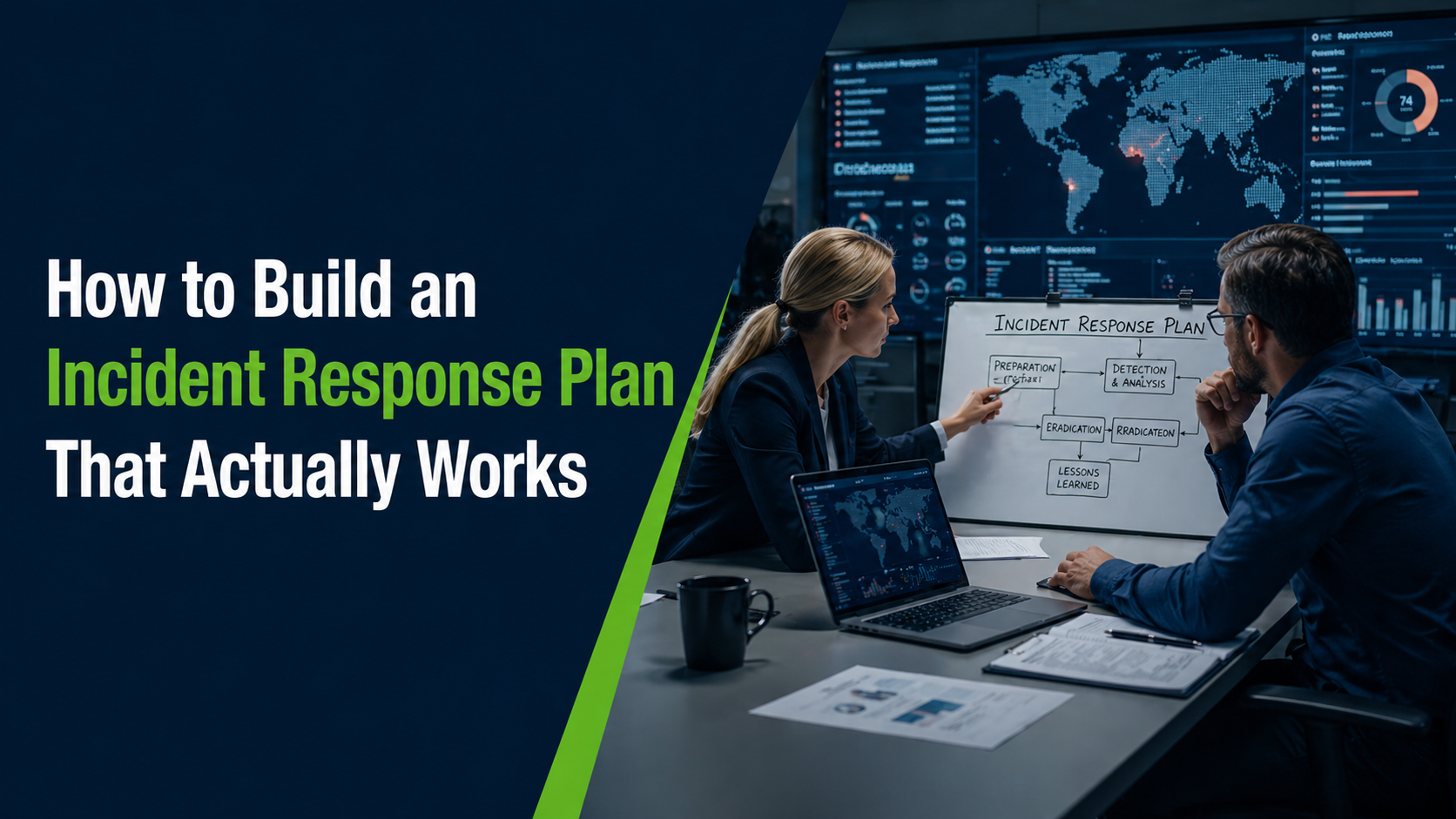
Most plans follow a lifecycle approach with distinct phases: preparation, detection and analysis, containment, eradication, recovery, and lessons learned. This structure ensures nothing gets missed in the chaos of an active incident.
The goal isn’t perfection. It’s speed and consistency. When everyone knows their role and follows documented procedures, response time drops from hours to minutes. That speed directly reduces damage, data loss, and downtime.
Why Organizations Need an Incident Response Plan
The average cost of not having a plan becomes clear during the first major security incident. Teams scramble, decisions take too long, and preventable damage spreads.
Without an incident response plan, your team faces these problems:
- No clear authority: Multiple people make conflicting decisions or no one takes charge
- Communication breakdowns: IT doesn’t notify legal, legal doesn’t loop in PR, customers learn about breaches from news reports
- Evidence destruction: Well-meaning staff delete logs or restart systems, eliminating forensic data
- Compliance violations: Missed notification deadlines trigger regulatory penalties on top of breach costs
- Extended downtime: Recovery takes longer when no one documented system dependencies or backup procedures
An incident response plan solves these problems before they happen. It assigns authority, establishes communication channels, preserves evidence, meets compliance requirements, and speeds recovery.
The business case is simple: preparation costs less than panic. Hours spent building your plan save days of chaotic response and weeks of recovery.
Beyond cost savings, a documented plan provides legal protection. It demonstrates due diligence to regulators, auditors, and cyber insurance providers. Many insurance policies now require proof of an incident response plan to qualify for coverage.
For small and mid-sized businesses, an incident response plan levels the playing field. You gain structured defenses similar to larger organizations without needing their security budgets. That’s because effective response depends more on preparation than expensive tools.
The NIST Incident Response Lifecycle
The NIST framework provides the most widely adopted structure for incident response planning. It organizes response activities into four major phases that create a continuous improvement cycle.
NIST stands for the National Institute of Standards and Technology. Their incident response lifecycle appears in Special Publication 800-61, which most security professionals treat as the authoritative guide.
The framework divides incident response into these phases:
- Preparation: Building capabilities before incidents occur
- Detection and Analysis: Identifying and understanding security incidents
- Containment, Eradication, and Recovery: Stopping damage and restoring operations
- Post-Incident Activity: Learning from incidents to improve defenses

This structure works because it acknowledges reality: incidents will happen, and your response improves through experience. The NIST lifecycle turns each incident into a learning opportunity that strengthens your security posture.
Organizations that follow the NIST incident response framework consistently outperform those using ad-hoc approaches. The standardized phases ensure nothing critical gets overlooked, even during high-pressure situations.
The lifecycle is circular, not linear. Lessons learned feed back into preparation, creating progressively stronger defenses. Each incident makes your team faster and your plan more effective.
Phase 1: Preparation
Preparation determines whether your incident response plan actually works or just occupies storage space. This phase happens before any incident occurs.
Build Your Incident Response Team
Your incident response team (also called a Computer Security Incident Response Team or CSIRT) needs clear membership and defined roles. Don’t wait for an incident to figure out who’s responsible for what.
Essential team roles include:
- Incident Response Manager: Makes final decisions and coordinates all response activities
- Security Analyst: Performs technical investigation and forensic analysis
- System Administrator: Manages containment actions and system recovery
- Legal Counsel: Advises on regulatory requirements and evidence handling
- Communications Lead: Handles internal and external messaging

Small businesses don’t need five separate people for these roles. One person can wear multiple hats. The critical part is documenting who owns each responsibility.
Train your team before incidents happen. Run tabletop exercises where you simulate ransomware attacks or data breaches. These simulations reveal gaps in your plan and build muscle memory for your team.
Establish Communication Channels
When your network gets compromised, email and Slack might be unavailable. Set up out-of-band communication methods now.
Create a contact list with personal phone numbers and backup email addresses. Store it outside your network where it remains accessible during outages. Many teams use shared password managers or printed emergency contact cards.
Document notification procedures for different incident types. Who gets called immediately versus who receives updates later? What information goes to executives versus technical staff?
Deploy Detection Tools
You can’t respond to threats you don’t detect. Preparation includes implementing monitoring and logging across your infrastructure.
Essential detection capabilities include:
- Security information and event management (SIEM) tools that aggregate logs from across your environment
- Endpoint detection and response (EDR) software on workstations and servers
- Network monitoring to identify unusual traffic patterns
- File integrity monitoring to detect unauthorized system changes
Free and low-cost options exist for each of these capabilities. The important part is having visibility into your systems so you can spot indicators of compromise.
Document Your Assets
Effective incident response requires knowing what you’re protecting. Create an inventory of critical systems, data repositories, and network architecture.
Your asset documentation should answer: What systems are most critical to operations? Where does sensitive data live? What dependencies exist between systems?
This inventory guides containment decisions during incidents. When you must take systems offline, you’ll know which ones to prioritize and what business impact to expect.
Phase 2: Detection and Analysis
Detection and analysis is where most incident response plans prove their worth or fall apart. This phase focuses on identifying security incidents quickly and understanding what you’re dealing with.
Recognize Incident Indicators
Security incidents announce themselves through specific indicators of compromise. Your team needs to recognize these signs and know when to escalate.
Common indicators include: unexpected network traffic to suspicious domains, failed login attempts across multiple accounts, new administrative accounts appearing in Active Directory, files with unusual extensions appearing on file servers, antivirus alerts for malware detection, and system performance degradation without clear cause.
Not every alert represents an actual incident. Your analysis process should separate false positives from genuine threats. Document your triage criteria so junior team members can make consistent decisions.
Classify and Prioritize Incidents
Not all security incidents demand the same response urgency. Your incident response plan needs a classification system that guides resource allocation.
Create severity levels based on potential impact:
| Severity | Criteria | Response Time |
|---|---|---|
| Critical | Active ransomware, confirmed data breach, complete system compromise | Immediate |
| High | Malware infection, unauthorized access to sensitive systems | Within 1 hour |
| Medium | Policy violations, suspicious activity requiring investigation | Within 4 hours |
| Low | Failed attack attempts, minor policy violations | Within 24 hours |
This classification drives everything downstream: who gets notified, what resources get deployed, and how quickly containment must happen.
Gather and Preserve Evidence
The moment you detect an incident, evidence preservation becomes critical. Your actions now determine whether you can identify the attacker, understand the full scope, and potentially pursue legal action.

Document everything: initial detection time, who discovered the incident, what systems appear affected, and what indicators led to detection. Take screenshots, capture network traffic, and preserve system logs before they rotate out of retention.
Create forensic images of affected systems if possible. Don’t work directly on compromised machines unless you must for immediate containment. Your investigation needs pristine evidence, not systems modified by well-meaning responders.
Chain of custody matters for legal proceedings and insurance claims. Track who accessed what evidence and when. Store forensic data in secure locations outside the affected environment.
Determine Incident Scope
Understanding the full extent of compromise requires methodical analysis. Assume the incident is larger than initial indicators suggest.
Key questions to answer: When did the compromise begin? What systems and data were accessed? How did the attacker gain entry? Do they still have access? What lateral movement occurred within your network?
This analysis directly informs containment strategy. You need to know all affected systems before you can eliminate attacker access and prevent reinfection.
Phase 3: Containment, Eradication, and Recovery
This phase represents the actual fight: stopping the attack, removing the threat, and restoring normal operations. Speed matters, but so does thoroughness. Rushing containment often leaves attackers in place.
Implement Containment Strategies
Containment stops incident damage from spreading. Your strategy depends on incident type and business requirements.
Short-term containment focuses on immediate damage control: isolate compromised systems from the network, disable affected user accounts, block malicious domains at your firewall, and shut down exposed services until you can patch them.
Long-term containment maintains business continuity while you eradicate the threat: move critical services to clean systems, implement enhanced monitoring on suspicious segments, and restrict access to sensitive data until investigation completes.
Document every containment action. You’ll need this information during recovery and for lessons learned. What worked? What created unintended side effects? What would you do differently?
Eradicate the Threat
Containment buys time. Eradication removes the attacker completely from your environment.
This process varies by incident type. For malware infections, it means removing malicious files and registry keys across all affected systems. For unauthorized access, it requires eliminating attacker-created accounts, resetting compromised credentials, and closing the initial entry point.
The temptation to rush eradication leads to incomplete remediation. Attackers often establish multiple persistence mechanisms. Find and eliminate all of them or they’ll return through backdoors you missed.
Validate eradication through continued monitoring. Watch for indicators that the attacker remains active or has regained access. Don’t declare victory prematurely.
Recover Normal Operations
Recovery restores affected systems to production while maintaining security. This phase tests your business continuity and disaster recovery procedures.
Rebuild compromised systems from known-good sources. Don’t restore from backups without verifying they’re clean. Reinfecting your environment with the same malware wastes all your eradication work.
Bring systems back gradually with enhanced monitoring. Staged recovery lets you catch problems early rather than recreating widespread compromise.
Update your security controls based on what you learned. If attackers exploited an unpatched vulnerability, patch it everywhere. If they used stolen credentials, implement multi-factor authentication. Each incident reveals specific weaknesses to fix.
Coordinate Throughout the Process
Containment, eradication, and recovery require constant coordination between technical teams, management, legal, and communications.
Keep stakeholders informed with regular status updates. Be honest about timelines. It’s better to say “we don’t know yet” than to make promises you can’t keep under pressure.
External coordination matters too. You might need to notify law enforcement, regulators, customers, or cyber insurance providers. These notifications have specific timing requirements that vary by jurisdiction and incident type.
Phase 4: Post-Incident Activity
Most organizations skip this phase. That’s why they keep experiencing the same incidents repeatedly. Post-incident activity transforms painful experiences into improved security.
Schedule a lessons-learned meeting within two weeks of major incidents. Wait too long and memory fades. Rush it and emotions overwhelm analysis.
Your review should answer specific questions: What happened and how was it detected? What worked well in the response? What caused delays or confusion? What would improve future response? What security controls need enhancement?
Focus on process, not blame. The goal is systemic improvement, not punishment. When people fear consequences, they hide problems instead of fixing them.
Document findings and create action items with owners and deadlines. Track these improvements through completion. Lessons learned without implementation waste everyone’s time.
Update your incident response plan based on what you discovered. Maybe your contact list had outdated phone numbers. Perhaps containment procedures need clarification. Each incident reveals gaps in preparation.
Measure key metrics across incidents: time to detection, time to containment, systems affected, data compromised, business impact, and recovery duration. Track trends over time. Improving metrics prove your incident response program works.
Share appropriate information with industry peers. Many attacks target multiple organizations. Your intelligence might help others defend against the same threat actors.
Building Your Incident Response Team
Your incident response plan exists on paper. Your CSIRT makes it real. Team structure and capabilities determine whether your documented procedures actually function under pressure.
Core Team Roles and Responsibilities
Every incident response team needs someone filling these critical functions, even if one person wears multiple hats in smaller organizations.
The Incident Response Manager owns the entire response process. They make final decisions, allocate resources, and coordinate between technical and business stakeholders. During incidents, they have authority to override normal approval processes when speed matters.
Security Analysts perform technical investigation work. They analyze logs, examine compromised systems, identify indicators of compromise, and reconstruct attacker actions. Their forensic skills determine how quickly you understand what happened.
System Administrators execute containment and recovery actions. They isolate systems, disable accounts, apply patches, and rebuild compromised infrastructure. Their deep knowledge of your environment makes them invaluable during response.
Legal Counsel guides regulatory compliance, evidence handling, and notification requirements. They ensure your response meets legal obligations while protecting the organization from liability. Don’t wait until after an incident to involve your attorney.
Communications Leads manage all messaging: internal updates, customer notifications, media responses, and regulatory reports. Consistent, accurate communication prevents confusion and maintains trust during crises.
Training and Skill Development
Technical skills matter, but incident response also demands skills your team might lack: working under pressure, making decisions with incomplete information, and coordinating across departments.
Build these capabilities through regular training and exercises. Tabletop exercises simulate incident scenarios without technical complexity. They test decision-making and communication in safe environments.
Technical simulations go further. Deploy actual malware in isolated lab environments. Practice forensic analysis on compromised systems. Test your backup restoration procedures under time pressure.
Send team members to incident response training courses. Organizations like SANS offer hands-on programs that build practical skills. Certifications like GCIH demonstrate competency to auditors and insurance providers.
Cross-train team members so knowledge doesn’t concentrate in single individuals. When your top security analyst takes vacation, can someone else perform forensic analysis? When your system administrator gets sick, can others execute recovery procedures?
External Resources and Partnerships
Small businesses rarely need full-time incident response teams. Instead, identify external resources before incidents happen.
Incident response retainers provide on-call access to expert teams. You pay a monthly fee for guaranteed availability when breaches occur. This model gives you enterprise-level response capabilities without hiring full-time staff.
Establish relationships with: forensic investigators who can provide expert analysis, breach response lawyers who specialize in cybersecurity incidents, PR firms experienced in crisis communication, and cyber insurance brokers who understand coverage requirements.
Document how to engage these resources in your incident response plan. Include contact information, contract terms, and escalation criteria. During a crisis, you won’t remember who to call or what your retainer covers.
Authority and Decision Rights
Incident response fails when no one has authority to act decisively. Your plan must clearly define who can make which decisions.
Establish authority levels: What can security analysts do without approval? When must they escalate to the Incident Response Manager? What decisions require executive authorization?
During active incidents, normal approval processes often create dangerous delays. Your plan should grant specific authorities that bypass standard procedures when necessary.
For example, your Incident Response Manager might have pre-approved authority to take systems offline, disable user accounts, engage external forensic support up to a certain cost, or authorize emergency security purchases.
Document these authorities in writing and get executive sign-off before incidents occur. You don’t want legal debates about authorization while ransomware spreads through your network.

Making Your Plan Actually Work
You now have the framework. The NIST incident response lifecycle gives you structure. You understand what preparation requires, how detection and analysis work, and what containment, eradication, and recovery involve.
The difference between having a plan and having one that works comes down to three actions.
First, document your specific plan this week. Don’t aim for perfection. Get something written that covers your organization’s unique environment, critical assets, and available resources. A simple plan you actually use beats a comprehensive plan that sits unread.
Second, test it next month. Run a tabletop exercise with your team. Simulate a data breach scenario and walk through your documented procedures. You’ll find gaps immediately. That’s the point.

Third, establish a review cycle. Update your plan quarterly. Technology changes, staff changes, and your business changes. Your incident response plan must change with them.
The painful truth is this: most businesses only discover their plan doesn’t work during actual incidents. By then, damage is happening and it’s too late for preparation.
Your competitors are facing the same threats. The ones who survive and recover quickly share one characteristic: they prepared before crisis hit. That preparation doesn’t require massive budgets or security teams. It requires documented procedures, trained people, and regular testing.
Start with the preparation phase. Build your incident response team, even if it’s small. Deploy basic detection capabilities. Document your critical assets. These actions provide immediate value and create momentum for the rest of your program.
Your incident response plan is protection you build once and rely on repeatedly. The investment you make now pays dividends every time it prevents chaos during the next security incident.

