









Small businesses are under siege. Cyberattacks targeting SMEs increased sharply over the past year, and new data privacy laws and stricter industry standards are coming in 2026. The attackers know you’re stretched thin, operating without dedicated IT staff, and often trusting your gut over tested security controls.
What most small business owners don’t grasp is this: affordable cybersecurity isn’t about buying expensive tools.
It’s about making smart choices with limited resources. Protection doesn’t require a Fortune 500 budget. It requires knowing which free resources exist, which paid tools actually matter, and how to deploy them without hiring a security team.
This guide walks through the exact cybersecurity stack your small business needs in 2026. You’ll discover free government resources, affordable commercial tools across every security function, and implementation steps that work even if you’ve never touched a firewall.
By the end, you’ll know how to protect sensitive data, stop phishing attacks, and meet compliance requirements without draining your budget. No jargon. No seven-figure solutions. Just practical protection that works.
Why Small Businesses Can’t Ignore Cybersecurity in 2026
Let’s get something straight: cybercriminals aren’t targeting Amazon and Microsoft anymore. They’re targeting you.
Small and medium businesses represent 43% of all cyberattack targets, yet only 14% have adequate defenses deployed. The math works beautifully for hackers. Less protection, similar data value, faster ransom payments.

Data breaches cost small businesses an average of $200,000 per incident. Most SMEs can’t survive that hit. Sixty percent close within six months of a major breach.

The threat types multiplying fastest in 2026 include ransomware attacks that encrypt your files until you pay, phishing schemes stealing employee credentials, and malware that sits quietly stealing customer data for months.
Your industry doesn’t matter. Legal firms, recruitment agencies, consultancies, and tech startups all hold sensitive information worth stealing. Client records, employee data, financial information, intellectual property.
New cybersecurity mandates coming in 2026 include stricter data privacy laws and industry-specific standards that small businesses must meet or face penalties. The regulatory environment is tightening. Ignorance won’t protect you anymore.
Here’s what makes this manageable: protection has become more affordable and accessible than ever before. Government agencies now offer free cybersecurity services. Commercial tools have created SMB-specific pricing tiers. Automation handles tasks that used to require dedicated staff.
The question isn’t whether you can afford cybersecurity. It’s whether you can afford not to implement it.
Free Government Cybersecurity Resources Every Small Business Should Use
The Cybersecurity and Infrastructure Security Agency provides free services specifically designed for small and medium businesses. No budget required. Just willingness to use them.
CISA’s No-Cost Cybersecurity Services
CISA offers vulnerability scanning that checks your public-facing systems for known security gaps. Their Cyber Hygiene Services run automated tests against your website and email servers, then send detailed reports about what needs fixing.

The agency provides incident response assistance when breaches occur. If you detect suspicious activity, CISA’s team can help contain the damage, analyze what happened, and restore operations.
Their security awareness training materials include ready-made posters, email templates, and employee education resources. Use these to run internal phishing simulations and teach staff to spot suspicious emails.
Small Business Cyber Planner 2.0
The Federal Communications Commission built a customizable planning tool that walks through your specific business needs. Answer questions about your company size, industry, and current security posture. The planner generates a tailored cybersecurity action plan with prioritized steps.
The tool addresses multi-factor authentication setup, password management policies, backup procedures, and incident response planning. Everything comes with implementation guides written for non-technical business owners.
Access the planner at FCC.gov/cyberplanner and complete it in under 30 minutes. Export your customized plan as a PDF to share with your team.
Industry-Specific Guidance Documents
CISA publishes sector-specific cybersecurity frameworks for healthcare, finance, legal services, and other industries. These documents translate general security advice into practical steps for your specific compliance requirements.
Small businesses in regulated industries can download templates for security policies, risk assessments, and vendor management procedures. The frameworks map directly to compliance standards like HIPAA, GDPR, and industry regulations.
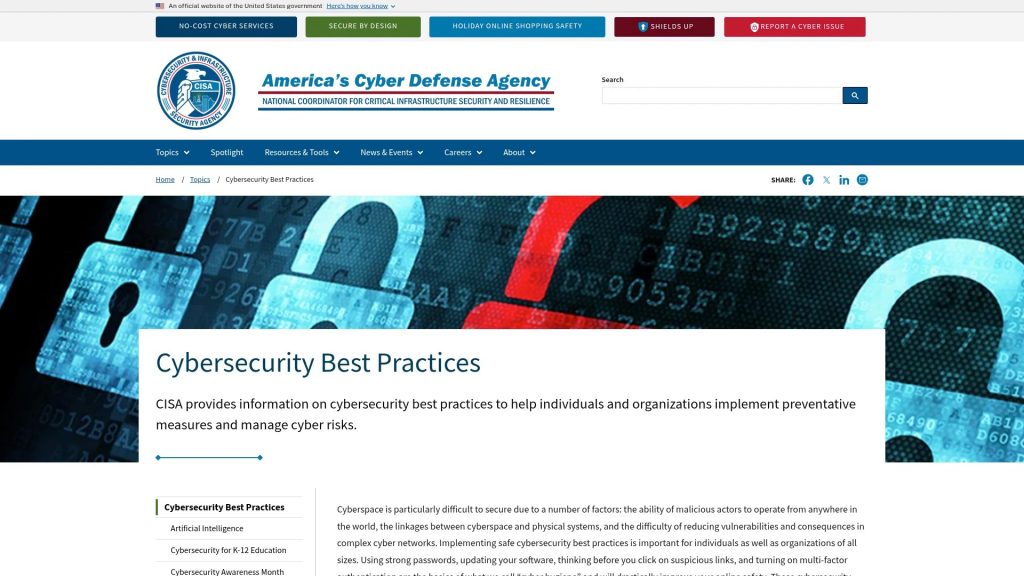
Find these resources at CISA’s Cybersecurity Best Practices page. Filter by your industry to see relevant materials.
Building Your 2026 Small Business Cybersecurity Stack
Protection works through layers. Single tools fail. Integrated systems catch what individual defenses miss.
A recommended 2026 cybersecurity stack includes multi-factor authentication, endpoint detection and response, and regular data backups. These three foundations stop 90% of common attacks.
Think of your cybersecurity stack like building security: locks on doors, cameras monitoring activity, alarm systems detecting breaches, and backup keys stored safely. Digital protection follows the same logic.
The Essential Protection Layers
Your stack needs five core layers working together. Authentication controls who gets in. Endpoint protection stops malware on devices. Email security blocks phishing attacks. Network security monitors traffic. Backup systems ensure recovery from any incident.
Budget allocation should prioritize based on your specific risks. Client-facing businesses need stronger email security. Remote teams require VPN access. Companies handling sensitive data need encryption tools.
| Security Layer | Primary Function | Typical Cost |
|---|---|---|
| Multi-Factor Authentication | Verify user identity beyond passwords | $3-8 per user/month |
| Endpoint Protection | Detect and block malware on devices | $5-15 per device/month |
| Email Security | Filter phishing and malicious attachments | $2-6 per user/month |
| Password Management | Generate and store strong passwords | $4-8 per user/month |
| Cloud Backup | Automated data recovery protection | $10-50 per TB/month |
Start with authentication and endpoint protection. These two layers provide maximum security improvement for minimum investment. Add email security next if your team handles client communications. Implement the remaining layers as budget allows.
Cost-effective cybersecurity solutions exist for businesses at every budget level, from free open-source tools to affordable commercial services.
Multi-Factor Authentication Solutions That Work
Passwords alone are dead. Attackers crack them, steal them, and buy them on dark web markets.
Multi-factor authentication requires two or more verification methods before granting access. Something you know (password), something you have (phone), something you are (fingerprint). Breaching one factor isn’t enough.
MFA blocks 99.9% of automated attacks. Cybercriminals move to easier targets when they hit MFA walls.

Free MFA Options for Small Businesses
Microsoft Authenticator and Google Authenticator provide free MFA for personal and business accounts. Install the app on employee phones. Link it to work accounts. Users approve login attempts by tapping a notification or entering a six-digit code.

Authy offers multi-device sync, letting employees approve logins from multiple phones or tablets. Useful when team members upgrade devices or work across platforms.
These apps work with most business software: Microsoft 365, Google Workspace, Salesforce, QuickBooks, and thousands of other services.
Enterprise-Grade MFA for Growing Teams
Okta provides centralized MFA management across all business applications. Pricing starts at $2 per user monthly for basic MFA, scaling to $6 per user for advanced features like adaptive authentication.
Duo Security (owned by Cisco) offers affordable plans starting at $3 per user monthly. The platform includes device trust checking, ensuring only approved phones and laptops can authenticate.
OneLogin combines MFA with single sign-on, letting employees access all work apps through one secure portal. Plans begin at $4 per user monthly.
Implementation Steps for Multi-Factor Authentication
Start with your most critical systems: email, financial software, and customer databases. Roll out MFA to administrators first, then expand to all employees.
Give your team two weeks’ notice before enforcement. Provide clear instructions with screenshots showing exactly how to set up authenticator apps. Schedule one-on-one support sessions for employees who struggle with technology.
Set up backup authentication methods. Hardware security keys from Yubico cost $25-50 and work when phones fail. Store backup codes in password managers for emergency access.
Test the system yourself before company-wide deployment. Break it intentionally to understand what happens when authentication fails. Document troubleshooting steps for common problems.
Password Management Tools Your Team Will Actually Use
Weak passwords cause 81% of data breaches. Employees reuse passwords across sites, write them on sticky notes, and create predictable patterns attackers crack instantly.

Password managers generate random 20-character passwords, store them encrypted, and auto-fill login forms. One master password protects everything else.
Business Password Manager Options
Bitwarden offers the most affordable business plan at $3 per user monthly. The platform includes unlimited password storage, secure sharing between team members, and two-factor authentication. Open-source code means security researchers constantly audit the software.

1Password Business costs $7.99 per user monthly and provides advanced features like travel mode (temporarily hiding sensitive vaults when crossing borders) and detailed access logs showing who viewed what passwords.
LastPass Business runs $6 per user monthly with automated password strength reports, dark web monitoring, and policy enforcement requiring minimum password complexity.
Dashlane starts at $5 per user monthly, featuring built-in VPN service and automatic password changes for supported websites.
Getting Your Team to Adopt Password Managers
Mandate password manager use through company policy. Set a deadline. Provide paid time for setup and training.
Lead by example. Management adopts first, demonstrating the tools work in daily workflows. Share positive experiences in team meetings.
Make the first week easy. Don’t enforce complex master passwords immediately. Let employees build the habit of opening the password manager before changing policies.
Integrate with single sign-on where possible. Fewer manual logins mean less resistance. The password manager handles the complex stuff behind the scenes.
For detailed guidance on password security strategy, review comprehensive cybersecurity practices for small businesses.
Endpoint Protection and Antivirus Solutions
Endpoint protection guards every device accessing your network: laptops, desktops, phones, tablets. Antivirus software is one component. Modern endpoint protection adds behavioral monitoring, threat detection, and automated response.
Traditional antivirus scans files against known malware signatures. Endpoint detection and response watches for suspicious behavior patterns, catching zero-day attacks that signature-based scanning misses.
Affordable Antivirus Options
Microsoft Defender comes free with Windows 10 and 11. The software provides solid baseline protection, real-time scanning, and automatic updates. Sufficient for small businesses just starting their security journey.
Bitdefender GravityZone Business Security costs $49.99 per device annually. The platform includes anti-malware, firewall management, web filtering, and centralized management console.
Malwarebytes for Business runs $39.99 per endpoint yearly, specializing in removing stubborn infections other tools miss. Pairs well with existing antivirus as a second-opinion scanner.
Enterprise Endpoint Detection and Response
CrowdStrike Falcon offers cloud-native EDR starting around $99 per endpoint annually for small business packages. The platform uses artificial intelligence to detect threats in real-time and stop attacks before damage occurs.
SentinelOne provides autonomous threat response, automatically isolating infected devices from your network. Pricing varies by company size but typically starts at $75-100 per endpoint yearly.
Sophos Intercept X combines traditional antivirus with EDR capabilities at $42-60 per device annually. The managed version includes 24/7 threat hunting by Sophos security analysts.
Deploying Endpoint Protection Across Your Business
Create an inventory of all devices accessing company data. Include personal phones and laptops if you allow BYOD policies.
Choose one solution and stick with it. Multiple competing antivirus programs cause conflicts, slowing systems and missing threats.
Configure automatic updates and scheduled scans. Weekly full scans during off-hours catch dormant threats without disrupting work.
Set policies for handling detected threats. Low-severity items auto-quarantine. High-severity detections notify IT contacts immediately and isolate affected devices.
Test your protection quarterly. Download EICAR test files to verify antivirus scanning works properly. These harmless files trigger detections without containing actual malware.
Security Awareness Training for Non-Technical Teams
Your employees are both your weakest link and your strongest defense. Phishing emails bypass technical controls by exploiting human psychology.
Security awareness training teaches staff to recognize suspicious emails, verify requests before clicking links, and report potential incidents immediately. This education stops attacks at the earliest stage.
Effective training isn’t annual PowerPoint presentations. It’s ongoing, practical, and measured through simulated attacks.
Affordable Security Training Platforms
KnowBe4 specializes in security awareness training and phishing simulations. Pricing starts around $24 per user annually for basic training, scaling to $48 per user for advanced programs with unlimited simulated phishing campaigns.
Cofense PhishMe focuses exclusively on phishing defense through continuous simulation and education. Plans begin at $20-30 per employee yearly.
Infosec IQ provides role-based training content, delivering different courses to executives, developers, and general staff. Pricing runs $25-35 per user annually.
Proofpoint Security Awareness Training integrates with email security platforms, automatically triggering training when employees fall for simulated phishing attempts. Costs start at $28 per user yearly.
Free Training Resources
CISA offers free security awareness materials including posters, tip sheets, and email templates. Download resources at their cybersecurity awareness page.
The National Cyber Security Centre provides free training modules covering password security, phishing recognition, and safe internet practices.
Create internal training using real examples from your own spam folder. Show employees actual phishing attempts targeting your company. Discuss red flags: urgent language, suspicious sender addresses, unexpected attachments.
Running Effective Phishing Simulations
Start easy. Early simulations should be obvious, building confidence rather than embarrassing employees. Gradually increase difficulty as click rates decrease.
Never punish employees who fail simulations. Use failures as training opportunities. Show them what they missed, explain the attacker’s tactics, and review how to verify suspicious messages.
Celebrate success publicly. Recognize employees who report simulated phishing attempts. Create friendly competition between departments tracking reporting rates.
Run simulations monthly at minimum. Quarterly is too infrequent for habit formation. Weekly is overkill that breeds resentment.
Track metrics that matter: reporting rates, time to report, and repeat clickers. Reporting rates going up means your security culture is strengthening.
Learn more about building strong practical cybersecurity habits your team can implement immediately.
Email Security and Phishing Protection Tools
Ninety-six percent of phishing attacks arrive via email. Cybercriminals impersonate trusted senders, create urgency, and trick employees into revealing credentials or wiring money.

Email security layers multiple defenses: spam filtering, malicious link detection, attachment sandboxing, and sender authentication. Each layer catches threats the others miss.
Built-In Email Security Features
Microsoft 365 includes Exchange Online Protection with basic spam filtering and malware detection. Enable advanced threat protection ($2 per user monthly) for link scanning, attachment sandboxing, and anti-phishing policies.
Google Workspace provides Gmail’s sophisticated spam filtering, learning from billions of emails daily. Enable additional protections in admin console: external recipient warnings, SPF/DKIM/DMARC enforcement, and attachment scanning.
Configure these built-in tools properly before buying additional services. Most small businesses never enable available protections, leaving obvious gaps.
Third-Party Email Security Solutions
Mimecast provides layered email security starting at $3-4 per user monthly. The platform adds URL rewriting (converting links to check destinations first), impersonation protection, and archive search.
Barracuda Email Protection costs $3-6 per user monthly with AI-powered phishing detection, account takeover prevention, and data loss prevention.
Proofpoint Essentials runs $2-4 per user monthly, specializing in business email compromise detection and credential phishing prevention.
Setting Up Email Security Controls
Configure SPF records in your DNS settings, listing authorized servers that send email from your domain. This stops spammers from forging your address.
Enable DKIM signing, adding cryptographic signatures to outgoing messages. Recipients verify signatures to confirm your emails weren’t tampered with.
Implement DMARC policies, telling recipients how to handle emails failing SPF and DKIM checks. Start with monitoring mode, then enforce rejection after confirming legitimate mail passes.
Create mail flow rules blocking executable attachments: .exe, .dll, .vbs, .js files. Legitimate business communication rarely requires these formats. Malware loves them.
Train employees to verify unexpected requests outside of email. Phone calls, Slack messages, or in-person confirmation for financial transactions or credential requests.
For context on common email threats, explore the biggest cybersecurity threats facing small businesses.
Network Security and Firewall Management
Firewalls control traffic between your internal network and the internet. Think of them as security checkpoints examining everything flowing in and out.
Modern firewalls do more than basic packet filtering. They inspect application traffic, block known malicious sites, and detect intrusion attempts.
Hardware Firewall Options
Fortinet FortiGate offers small business models starting around $300-500 for the device plus $150-300 annual licensing. Models scale from 5-50 employees with VPN support, web filtering, and intrusion prevention.
SonicWall provides entry-level firewalls at $400-600 with similar annual subscription costs. The platform includes cloud management, letting you configure security policies remotely.
Palo Alto Networks delivers enterprise-grade protection in small business packages starting around $1,000-1,500 initially. Higher upfront cost brings superior threat prevention and application visibility.
Software Firewall Solutions
pfSense provides free, open-source firewall software installable on commodity hardware. The platform offers professional features without licensing costs. Requires technical expertise to configure properly.
Built-in Windows Firewall and macOS Firewall offer basic protection for individual devices. Enable them on all endpoints as secondary defense even when hardware firewalls protect the network perimeter.
Firewall Configuration Essentials
Enable default deny policies, blocking everything unless explicitly allowed. Most businesses need surprisingly few incoming connections open.
Segment your network into zones: guest WiFi separate from business systems, IoT devices isolated from computers, servers in protected DMZ zones.
Configure web filtering blocking known malicious sites, phishing domains, and inappropriate content categories. This stops employees from accidentally visiting infected sites.
Enable intrusion prevention systems detecting attack patterns in network traffic. IPS stops exploitation attempts, port scans, and suspicious connection patterns.
Review firewall logs weekly for unusual activity. Failed login attempts, blocked connection attempts, and geographic anomalies indicate reconnaissance or active attacks.
VPN Services for Remote Workers
Remote work exploded post-2020. Employees connect from coffee shops, home networks, and coworking spaces with varying security standards.
Virtual private networks encrypt traffic between remote devices and your business network. Attackers intercepting WiFi traffic see encrypted gibberish instead of sensitive data.
Business VPN Solutions
Perimeter 81 offers cloud-based VPN starting at $8 per user monthly. The platform provides zero-trust access, letting you grant application-specific permissions rather than full network access.
Twingate runs $10-15 per user monthly with software-defined perimeter replacing traditional VPN. Setup takes minutes, and users experience faster connections than legacy VPN.
NordLayer costs $8-12 per user monthly, built on NordVPN’s infrastructure. The service includes dedicated IP addresses and cloud firewall protection.
Open Source VPN Options
OpenVPN provides free software for building your own VPN server. Host it on cloud infrastructure like AWS, DigitalOcean, or Azure. Total cost runs $10-20 monthly for the server plus setup time.
WireGuard offers simpler configuration and better performance than OpenVPN. Requires more technical knowledge but delivers faster speeds.
VPN Deployment Best Practices
Require VPN use for accessing business applications from outside the office. Configure systems to reject connections not coming through the VPN tunnel.
Avoid free consumer VPN services. They monetize by selling browsing data or injecting advertisements. Business data deserves better protection.
Test VPN performance from various locations. Some providers throttle speeds or have poor geographic coverage.
Set up split tunneling carefully. Full tunneling routes all traffic through your business network, slowing personal browsing. Split tunneling protects business traffic while keeping personal activities separate.
Enable automatic connection when employees access business WiFi networks. One less step increases adoption rates.
Data Backup and Recovery Solutions
Backups are your insurance policy against ransomware, hardware failure, and human error. When systems fail, backups determine whether you’re down for hours or weeks.
Follow the 3-2-1 rule: three copies of data, two different media types, one copy off-site. This protects against any single failure point.
Cloud Backup Services
Backblaze charges $6 per month per computer for unlimited backup. The service runs continuously in the background, backing up new and changed files automatically.
Carbonite offers small business plans starting at $24 per computer monthly with centralized management and priority recovery support.
Acronis Cyber Backup costs $50-80 per workload yearly, backing up entire systems including operating systems, applications, and data. Recovery involves booting from Acronis media and restoring the complete environment.
Hybrid Backup Approaches
Combine local and cloud backups for best recovery time objectives. Local backups restore quickly for common failures. Cloud backups protect against building fires, floods, and theft.
Synology and QNAP network-attached storage devices cost $300-1,000 depending on capacity. Configure automatic backups to these devices, then replicate to cloud storage nightly.
Veeam Backup Free Edition provides powerful backup capabilities for virtual environments at no cost. Paid versions start at $10 per workload monthly with advanced features.
Testing Your Backup System
Untested backups are worthless. Run quarterly restoration tests, recovering random files to verify integrity.
Document recovery procedures step-by-step. Include account credentials, software download links, and configuration settings needed during disasters.
Time your recovery process. Knowing restoration takes four hours versus four days changes business continuity planning.
Store recovery documentation outside your network. Encrypted USB drives in safety deposit boxes, printed procedures at owner’s home, cloud storage accounts separate from business systems.
Consider retention requirements for your industry. Some regulations mandate keeping data for years. Configure backup systems to meet these requirements automatically.
Managed Security Services for Budget-Conscious Businesses
Hiring full-time security staff costs $80,000-150,000 annually per person. Most small businesses can’t justify or afford this expense.
Outsourcing to managed IT or cybersecurity partners provides 24/7 support, proactive monitoring, and expertise at a fraction of the cost.
What Managed Security Providers Offer
Security Operations Center monitoring watches your systems around the clock, detecting and responding to threats while you sleep. Analysts investigate suspicious activity and contain incidents before they spread.
Vulnerability management services scan your systems monthly, identify security gaps, and prioritize patching based on actual risk. They track remediation to closure.
Compliance assistance helps navigate industry regulations, implement required controls, and prepare for audits. Providers familiar with HIPAA, GDPR, or PCI-DSS translate requirements into actionable steps.
Incident response teams jump into action when breaches occur, containing damage, investigating root causes, and restoring operations. Their experience accelerates recovery and reduces costs.
Affordable Managed Security Options
Regional managed service providers often include basic security monitoring in IT support packages. Expect $100-200 per user monthly for bundled services including help desk, patching, and security oversight.
Security-focused providers charge $50-150 per device monthly depending on protection level. Basic packages include antivirus management and patching. Advanced services add threat hunting and incident response.
Huntress specializes in affordable security operations for small businesses. Pricing starts around $5-10 per endpoint monthly with human threat hunters investigating suspicious activity.
Choosing the Right Managed Security Partner
Verify provider certifications and insurance coverage. Look for SOC 2 compliance, cyber liability insurance, and staff holding CISSP, Security+, or similar credentials.
Ask about response times and escalation procedures. When incidents happen, do you get 24/7 phone support or wait for next business day tickets?
Review service level agreements carefully. Understand what’s included versus what costs extra. Clarify monitoring coverage, patching schedules, and incident response guarantees.
Start with a trial period. Many providers offer 30-90 day evaluations. Use this time to assess responsiveness, expertise, and cultural fit.
Check references from similar-sized businesses in your industry. Providers experienced with your challenges deliver better results than generalists.
Building Sustainable Cybersecurity Budgets
Cybersecurity budgets should prioritize controls based on business risks, such as MFA, vendor oversight, and compliance readiness. Random tool purchases waste money without improving actual security posture.
Calculating Appropriate Security Spending
Small businesses should allocate 3-8% of total IT budgets to cybersecurity. Companies in regulated industries or handling sensitive data trend toward the higher end.
Start by assessing current annual losses from security incidents. Include downtime costs, data recovery expenses, and lost productivity. Your security budget should prevent losses exceeding its cost.
Factor in cyber insurance premiums. Insurers increasingly require minimum security controls before coverage. Implementing these controls may seem expensive until uninsurable incidents occur.
Prioritizing Security Investments
Rank potential investments by risk reduction per dollar spent. Controls stopping the most likely and damaging attacks deserve funding first.
| Investment Priority | Average Cost Range | Primary Risk Reduction |
|---|---|---|
| Multi-Factor Authentication | $3-8 per user/month | Credential theft, account takeover |
| Security Awareness Training | $20-35 per user/year | Phishing, social engineering |
| Endpoint Protection | $40-100 per device/year | Malware, ransomware |
| Cloud Backup Services | $6-24 per user/month | Data loss, ransomware |
Consider total cost of ownership beyond initial purchase prices. Factor in implementation time, ongoing management, training requirements, and integration complexity.
Finding Budget Flexibility
Consolidate tool subscriptions. Many businesses pay for overlapping services without realizing redundancy. Audit current spending and eliminate duplicate functions.
Automation tools for cybersecurity monitoring, system updates, and data backups are accessible and cost-effective. Automation reduces management overhead, letting small teams accomplish more.
Negotiate volume discounts with vendors. Most security companies offer better pricing when you commit to multi-year contracts or bundle multiple services.
Apply for small business grants and tax incentives. Some regions offer cybersecurity assistance programs with subsidized assessments, training, or tool purchases.
Phase implementations rather than buying everything simultaneously. Get MFA working properly before adding EDR. Master email security before deploying SIEM platforms.
Review strategic approaches to cybersecurity budgeting for small business risk management.
Implementing Your Affordable Cybersecurity Plan
Knowledge without execution changes nothing. The best security plan fails if it stays in planning documents.
Start this week. Not next quarter. Not after the busy season. Today’s delay becomes tomorrow’s breach.
Your 30-Day Implementation Roadmap
Week 1: Enable MFA on all critical systems. Start with email and financial software. Use free authenticator apps if budget is tight. This single step blocks most credential attacks.
Week 2: Deploy endpoint protection across all devices. Use Microsoft Defender if you’re on a zero budget. Upgrade to commercial solutions as resources allow. Remove any consumer-grade antivirus and replace with business-focused tools.
Week 3: Conduct security awareness training. Show employees real phishing examples. Run your first simulation. Make reporting suspicious emails easy and celebrated.
Week 4: Set up automated backups. Start with cloud services for critical data. Test restoration procedures before calling the project complete.
Measuring Security Improvement
Track metrics showing progress. Measurement drives improvement.
Monitor phishing simulation click rates. Declining percentages mean training is working. Increasing report rates show growing security culture.
Measure patching compliance. What percentage of systems update within 30 days of patches releasing? Track improvement monthly.
Review endpoint protection detection rates. How many threats blocked weekly? Increasing numbers might indicate growing attacks or improving detection capabilities.
Audit password strength quarterly. Modern password managers report on weak, reused, or compromised credentials. Watch these numbers decline.
Getting Executive Buy-In
Speak the language business owners understand: risk and money. Translate technical threats into business impact.
Show breach cost calculations. Average downtime hours multiplied by hourly revenue reveals true incident costs. Add recovery expenses, legal fees, and reputation damage.
Compare security investment costs to potential losses. Spending $5,000 annually to prevent $200,000 incidents makes business sense.
Reference competitors hit by attacks. Small businesses in your industry suffering breaches demonstrate the threat isn’t theoretical.
Start small and prove value. Quick wins like MFA deployment build confidence for larger investments.
For additional implementation strategies, see solving common SME cybersecurity challenges.

Your Security Checklist for 2026
Affordable cybersecurity isn’t complex. It requires discipline executing fundamentals consistently.
Here’s what matters most going into 2026:
Deploy multi-factor authentication everywhere. Every login, every system, every employee. This control alone stops the majority of attacks targeting small businesses.
Train your team relentlessly. Monthly simulations, quarterly deep training, ongoing awareness campaigns. Human defenses scale better than technical controls for resource-constrained businesses.
Back up data automatically. Test recovery quarterly. Document procedures. Store instructions off-network. Ransomware becomes inconvenient downtime rather than business-ending disasters when backups work.
Patch systems promptly. Enable automatic updates where safe. Schedule monthly patching windows for critical servers. Attackers exploit known vulnerabilities ignored for months.
Monitor what matters. Watch authentication logs for suspicious logins. Review firewall blocks for attack patterns. Track endpoint protection alerts for emerging threats.
The small businesses surviving cyberattacks in 2026 aren’t those with unlimited budgets. They’re businesses implementing affordable controls consistently.
Your biggest security investment isn’t tools. It’s the commitment to use them properly.
What’s your first step? Enable MFA today. That single action provides more protection than any other control you could implement this week.
Security doesn’t require perfection. It requires starting.
