







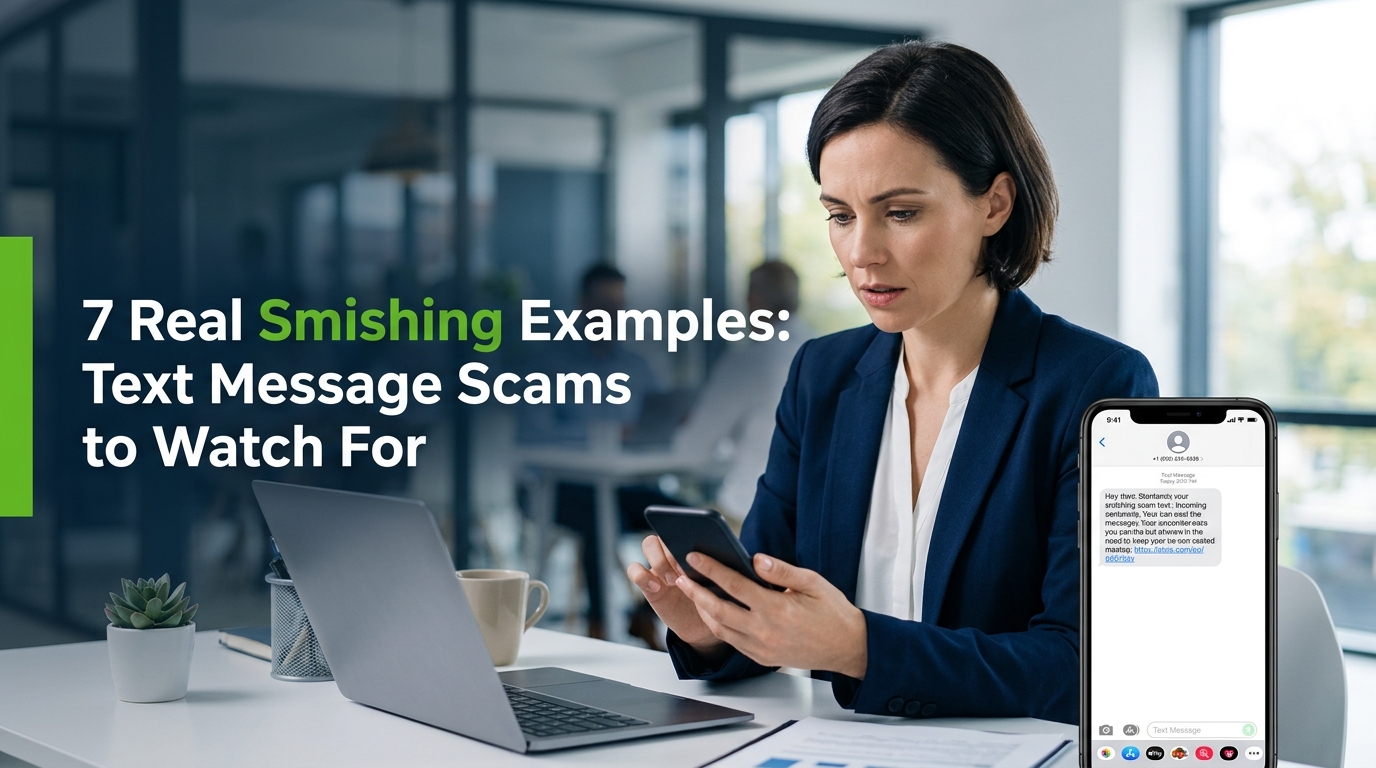
Smishing is SMS phishing: a social engineering attack delivered by text message that tricks recipients into clicking a malicious link or surrendering sensitive information. U.S. consumers reported losing $470 million to scams that started with text messages in 2024, according to new FTC data on text message scam losses, five times higher than what was reported in 2020. Smishing attacks impersonate banks, package delivery carriers, the IRS, government toll agencies, and even your boss, using urgency and spoofed sender identities to make victims act before they think.

Most people assume they would spot a scam text immediately. Twenty years in cybersecurity tells me otherwise. These messages have gotten sharper, faster, and far harder to dismiss. The goal of this guide is simple: show you exactly what smishing looks like in the real world, so you can recognize it before it costs you.
What Is Smishing? Definition and Overview
Smishing is a portmanteau of “SMS” and “phishing,” describing any phishing attack conducted via text message rather than email, with the objective of stealing personal information, login credentials, or money through social engineering.
The scale is significant. The Zimperium 2025 Global Mobile Threat Report found that smishing accounts for 69.3% of all mishing attacks, with mobile-targeted phishing representing roughly one-third of threats overall. That number matters because phones get checked constantly, texts feel personal, and most people do not apply the same skepticism to a text that they would to a suspicious email.

Smishing sits within a broader family of attacks. Phishing arrives by email. Vishing uses voice calls. Smishing uses SMS, and it benefits from the medium. Text messages carry an implied urgency that email has lost. People open them fast, often without pausing.
The attacks follow a consistent playbook: a spoofed or masked sender number, a message designed to trigger fear or curiosity, a shortened URL or lookalike link, and a fake landing page built to harvest sensitive information. Criminals run these campaigns at industrial scale using automated phishing kits.
How Smishing Attacks Work: The Step-by-Step Process
A smishing attack moves through five stages, from target selection to data theft, and most victims do not realize what happened until stage five is complete.
The Verizon 2025 Data Breach Investigations Report found that nearly 60% of breaches involve a human element, and 16% of all breaches began with phishing. Smishing is a direct path to that human element. Attackers do not need to break through firewalls when they can convince your employee to hand over credentials voluntarily.
Stage 1: Target Selection
Attackers buy or steal phone number lists from data brokers or previous breaches. Some campaigns are broad, blasting millions of numbers. Others are targeted, focused on employees at a specific company or customers of a particular bank.
Stage 2: Message Crafting
The message is built around a trigger: an unpaid toll, a suspicious bank transaction, a stuck package, a prize. The language is urgent. The sender looks legitimate. A shortened URL or a convincing lookalike domain hides the malicious link destination.
Stage 3: Delivery and Spoofing
Attackers use SMS gateways, burner SIM cards, or smishing kits to send messages at scale. Sender IDs can be spoofed to display a company name or a number that looks familiar. The message lands in the same thread as legitimate texts from real organizations.
Stage 4: The Click
The victim taps the malicious link. The fake landing page mirrors the real company’s site closely enough to pass a quick glance. The victim enters a password, bank account number, or one-time MFA code.
Stage 5: Exploitation
The attacker now has what they need. Credentials get sold or used immediately. Bank accounts get drained. Personal information fuels identity theft. The whole process can take under three minutes from message receipt to breach.
Types of Smishing Attacks: 8 Common Categories
Smishing attacks cluster into recognizable categories, each exploiting a different type of trusted relationship or fear to manipulate victims into surrendering personal information.
Europol’s IOCTA 2024 report confirmed that smishing was the most common phishing type in 2023. That dominance comes from how well the attack categories exploit everyday situations people genuinely encounter. Below are the eight types that appear most frequently.
1. Bank Fraud Alert Smishing
Fake alerts impersonating your bank warn of a suspicious transaction. The message asks you to verify your account or confirm your identity immediately. The link leads to a cloned banking portal built to steal your login credentials and bank account details.
2. Package Delivery Smishing
Messages impersonating USPS, FedEx, UPS, or Amazon claim a package delivery has failed and request a small redelivery fee or personal information to reschedule. The fee is a pretext to capture your card number. The package does not exist.
3. IRS and Tax Refund Smishing
Texts claiming the IRS has processed a refund or flagged your account for unpaid taxes create immediate fear. The IRS does not initiate contact by text. Anyone who receives one of these has received a smishing attempt.
4. Toll Payment Smishing
Fake texts from E-ZPass, FasTrak, or state highway authorities claim an unpaid toll is pending, with late fees accumulating. Proofpoint researchers link these road toll smishing campaigns to a phishing kit called Darcula, operated by a China-based group known as the Smishing Triad. The campaigns hit millions of numbers simultaneously.
5. Gift Card Request Smishing
An attacker impersonates your boss or a senior executive, texting urgently that they need gift cards purchased immediately for a client situation. The message requests that the card codes be sent by text. This is a social engineering attack built on authority and urgency.
6. Tech Support Smishing
Messages claiming your device has been compromised or your account has been flagged direct victims to call a number or click a malicious link. The “support” interaction is designed to install malware or extract remote access credentials.
7. MFA Code Theft Smishing
The attacker already has your username and password from a previous breach. They trigger a login, then send a text pretending to be your bank or email provider, asking you to “confirm” the one-time code sent to your phone. You hand them the last piece they need.
8. Account Verification Smishing
Generic alerts claiming your account has been locked, compromised, or flagged for unusual activity push victims to “verify” by clicking a link and entering sensitive information. These target streaming services, social media platforms, and email providers.
Real Smishing Examples: Sample Message Text
Reading about smishing categories is one thing. Seeing the actual message text is what trains your instincts to recognize the attack in the wild.
The painful truth is that these messages are designed to bypass rational thought. They are short, sharp, and arrive when you are distracted. Each example below includes the core social engineering tactic being used.
Example 1: Fake USPS Package Delivery
“USPS: Your package could not be delivered. Reschedule at usps-trackdelivery[.]com to avoid return. Ref: 9400111899000123”
This smishing example exploits the near-universal expectation that a package is always in transit. The shortened lookalike URL and fake tracking number add false credibility. The real USPS domain is usps.com, not any variation with hyphens or extra words.
Example 2: Bank Fraud Alert
“BARCLAYS ALERT: Suspicious transaction of £749.00 was attempted on your account. If this wasn’t you, verify immediately: barclays-secure-login[.]com”
Fear of an unauthorized transaction triggers an instinct to act immediately. The malicious link mimics the real domain closely enough to fool a panicked reader. Your bank will never ask you to verify through a text link.
Example 3: IRS Tax Refund
“IRS NOTICE: A federal tax refund of $847.30 has been issued to your account. Claim at irs-refunds[.]gov-check[.]com before it expires.”
This smishing example stacks two triggers: money owed to you, and a deadline. The domain is constructed to look official while being entirely fake. The real IRS does not contact taxpayers by text message.
Example 4: E-ZPass Toll Payment
“E-ZPass: Your account shows an unpaid toll of $3.75. Failure to pay within 48 hours will result in a $35 fine. Pay now: ezpass-billing[.]com”
The small initial amount makes compliance feel low-risk. The escalating penalty creates urgency. This is precisely the type of message tied to the Smishing Triad campaigns, built on the Darcula phishing kit and sent to millions of recipients.
Example 5: CEO Gift Card Request
“Hi [Employee Name], this is David (CEO). I’m in a meeting and need you to purchase 4x $200 Apple gift card codes urgently for a client. I’ll explain later. Please send codes ASAP.”
The smishing example uses authority, urgency, and a vague promise to explain later. The request bypasses normal controls by targeting someone who wants to help their boss. Gift card codes are irreversible once sent.
Example 6: Fake Amazon Security Alert
“Amazon: We’ve detected unusual sign-in activity on your account from Romania. Tap to secure your account immediately: amzn-account-security[.]com”
Fear of account compromise combined with a foreign location triggers a fast reaction. The link leads to a fake Amazon login page. Entering your credentials there hands an attacker full access to your account, payment methods, and order history.
Example 7: MFA Bypass via Text
“Your Bank: A sign-in attempt requires verification. Your one-time code is 847291. NEVER share this code. If you didn’t request this, reply STOP.”
This one is cleverly layered. The attacker pairs the real-looking message format with a follow-up text: “Bank Security: Please confirm code 847291 to cancel unauthorized access.” Victims who share the code have bypassed their own MFA protection. The warning to never share it is included to mimic real bank messaging.
How to Recognize a Smishing Text: Red Flags to Know
Five red flags appear in almost every smishing attempt, and spotting any one of them should stop you from clicking.
Your instinct to respond quickly is the attacker’s greatest asset. That urgency in the message is not a coincidence. It is the mechanism. Train yourself to pause when a text makes you feel rushed, and run through this checklist before tapping anything.
- Urgency or threats: “Act within 24 hours,” “Your account will be suspended,” “Failure to respond will result in a fine.” Real organizations do not pressure you like this by text.
- Suspicious or shortened URLs: Malicious links often use shortened URLs (bit.ly, tinyurl), hyphenated domains, or domains that mimic real brands with slight misspellings. Always expand and inspect a link before clicking.
- Requests for sensitive information: Any text asking for a password, MFA code, Social Security number, or bank account details is a red flag. No legitimate company requests sensitive information via text link.
- Generic greetings: “Dear Customer,” “Hello User,” or no name at all suggests a mass-sent smishing campaign rather than a message from an organization that actually knows you.
- Unsolicited contact from unknown senders: A text about a package you did not order, a bank account you do not hold, or a toll from a road you did not travel is a clear signal that something is wrong.
Smishing vs. Phishing vs. Vishing: Key Differences
Smishing, phishing, and vishing are three delivery channels for the same underlying social engineering attack, differing primarily in medium, which affects both how victims respond and how organizations defend against them.
Understanding the distinctions helps you apply the right defenses. A spam filter that catches phishing emails does nothing for smishing texts landing on an employee’s personal phone. The threats are related but the controls are different.
| Attack Type | Delivery Medium | Primary Social Engineering Hook | Common Target |
|---|---|---|---|
| Smishing | SMS / text message | Urgency, spoofed sender, shortened URL | Mobile phone users, employees |
| Phishing | Fake branding, malicious attachments, spoofed sender address | Email users, corporate accounts | |
| Vishing | Voice call | Impersonation, real-time pressure, authority claims | Individuals, financial account holders |
Phishing remains the most-reported vector in organizational breaches, but smishing is the fastest-growing channel targeting individuals. Vishing adds a human voice, which creates a different type of social pressure. All three aim at the same goal: get you to surrender personal information before you realize what is happening.
The defense principles overlap but the specific countermeasures differ. Email security tools filter phishing. Mobile threat defense and employee training address smishing. Caller ID verification and callback procedures counter vishing. You need all three.
How to Protect Yourself Against Smishing
Protecting against smishing requires a combination of personal habits, organizational policies, and technical controls, because no single layer stops every smishing attack on its own.
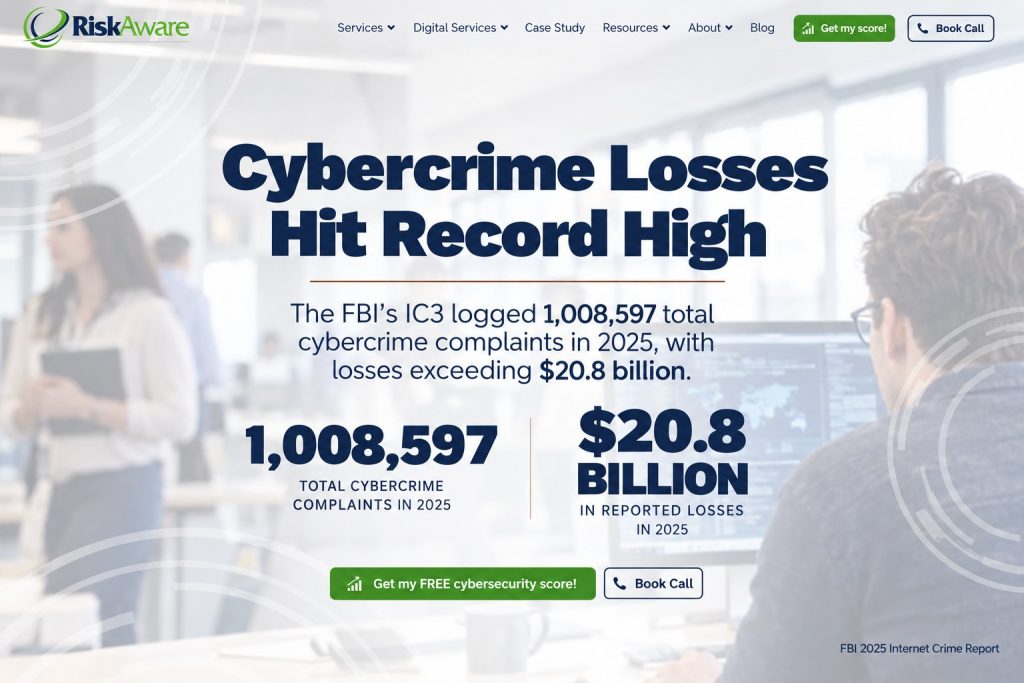
The FBI’s IC3 logged 1,008,597 total cybercrime complaints in 2025, with losses exceeding $20.8 billion, according to the FBI’s 2025 Internet Crime Report. And that figure only counts reported losses. If your team does not know what smishing looks like, they are a direct path to those numbers. Train your people. This is not optional.
Personal Defenses
Do not click links in unsolicited text messages. Full stop. If a text claims to be from your bank, go directly to your bank’s official app or website. Type the address manually or use a saved bookmark. Do not use the link in the text.

Contact the organization directly using a number from their official website when any text message claims action is needed on your account. That one step defeats most smishing attacks.

Enable MFA on all accounts, but protect your MFA codes as if they are passwords. Never share a one-time code with anyone, regardless of how official the request looks. A legitimate organization will never ask for it.
Use your phone’s built-in spam filtering and report suspicious texts. On iPhone, enable “Filter Unknown Senders” in Settings. On Android, enable spam protection in your default Messages app.
Organizational Defenses
Security awareness training that includes smishing simulations is the most effective organizational control. Your employees need to see what these messages look like before an attacker sends the real thing. Run regular training. Make it practical, not just a presentation.
Establish a clear verification policy for any unusual financial request received by text, especially gift card requests or wire transfers. If the message claims to be from a senior leader, require a phone call to a known number before any action is taken.
Deploy mobile device management solutions if employees access company data on personal or managed mobile devices. These tools can detect and block known malicious links before they load. You can find practical guidance on building a broader cybersecurity program for small businesses that covers device controls alongside staff training.
Report smishing texts to your carrier by forwarding the message to 7726 (SPAM). This is a cross-carrier reporting system that helps identify and block smishing campaigns at network level.
What to Do If You Fall Victim to a Smishing Attack
If you clicked a malicious link or submitted personal information through a smishing attack, the window to limit the damage is short, and the first ten minutes matter most.
Most people freeze when they realize what happened. Do not. Act in this order.
- Change your passwords immediately for any accounts whose credentials you entered. Start with your email account, because access to email enables password resets across every other account.
- Contact your bank directly if you entered any bank account or card details. Ask them to freeze the account or card and monitor for unauthorized transactions. Call the number on the back of your card, not any number from the text.
- Place a fraud alert with the major credit bureaus (Equifax, Experian, TransUnion) if you shared your Social Security number or other identity documents. A fraud alert requires creditors to verify your identity before opening new accounts, which limits the window for identity theft.
- Report to the FTC at reportfraud.ftc.gov. The FTC uses these reports to track smishing campaigns and pursue enforcement action.
- File a report with the FBI’s IC3 at ic3.gov if you experienced a financial loss. The IC3 tracks cybercrime complaints nationally and the report creates an official record useful for fraud claims.
- Monitor your accounts closely for the next 90 days. Unexpected transactions, new credit inquiries, or account lockouts may indicate that stolen personal information is being used.
One more thing. If a smishing attack targeted you through a work device or a work-related account, notify your IT or security team immediately. One click on a malicious link can be the entry point for a network-wide attack. Get ahead of it. The faster your security team knows, the faster they can contain it.
Smishing is a real threat and it is getting harder to detect, not easier. The FBI IC3’s 2025 annual report shows phishing and spoofing complaints accounted for approximately 19% of total cybercrime complaints, with associated losses reaching $215.8 million. AI-generated smishing lures are making messages more convincing at scale, removing the typos and awkward phrasing that used to help people spot fakes.
The best protection is still the same one it has always been: slow down, verify independently, and never hand over sensitive information through a link in a text message. Build that habit, and share it with your team. For a broader look at the social engineering tactics attackers use beyond smishing, the guide to phishing attack examples covers what these campaigns look like across email and other channels.
Secure your systems. Train your people. And if you are running a business, make sure your staff knows that a text message from the CEO asking for gift cards is never the real CEO.

